
- Below are 11 ready-made prompts. Copy one, paste it into ChatGPT or Gemini together with your photo, that is the whole method.
- Every prompt is written to work on solo, couple and group photos. However many people are in the frame, all of them get converted. Nothing else to change.
- Each prompt comes with a sample output made with that exact prompt, so you can see what you are getting before you spend a generation.
- If the faces do not look like you, do not rewrite the prompt. Run the same request again. The second attempt usually lands.
Open any feed this week and it is the same picture: permed hair, shoulder pads, an orange-tinted studio backdrop. The whole trend comes down to one thing, the prompt. No app to install, no subscription to buy.
Three steps. Open an AI app that can generate images (ChatGPT, Gemini or Grok), upload a sharp, front-facing photo, and paste one of the prompts below as a single block. That is it. 👇🏻
- Do not delete the identity line. The “preserve every person’s facial features and identity exactly, do not blend their faces” sentence in each prompt is the only thing keeping the faces recognisable. In crowded frames the second half matters just as much, because these models drift towards making everyone look related.
- Upload the original file, not a screenshot. A frame that has been compressed twice noticeably degrades the result.
- Do not split the prompt. Send it in one message, not as a series of bullet points.
1. Classic Studio Portrait
The most common version of the trend. If you do not know where to start, start here.
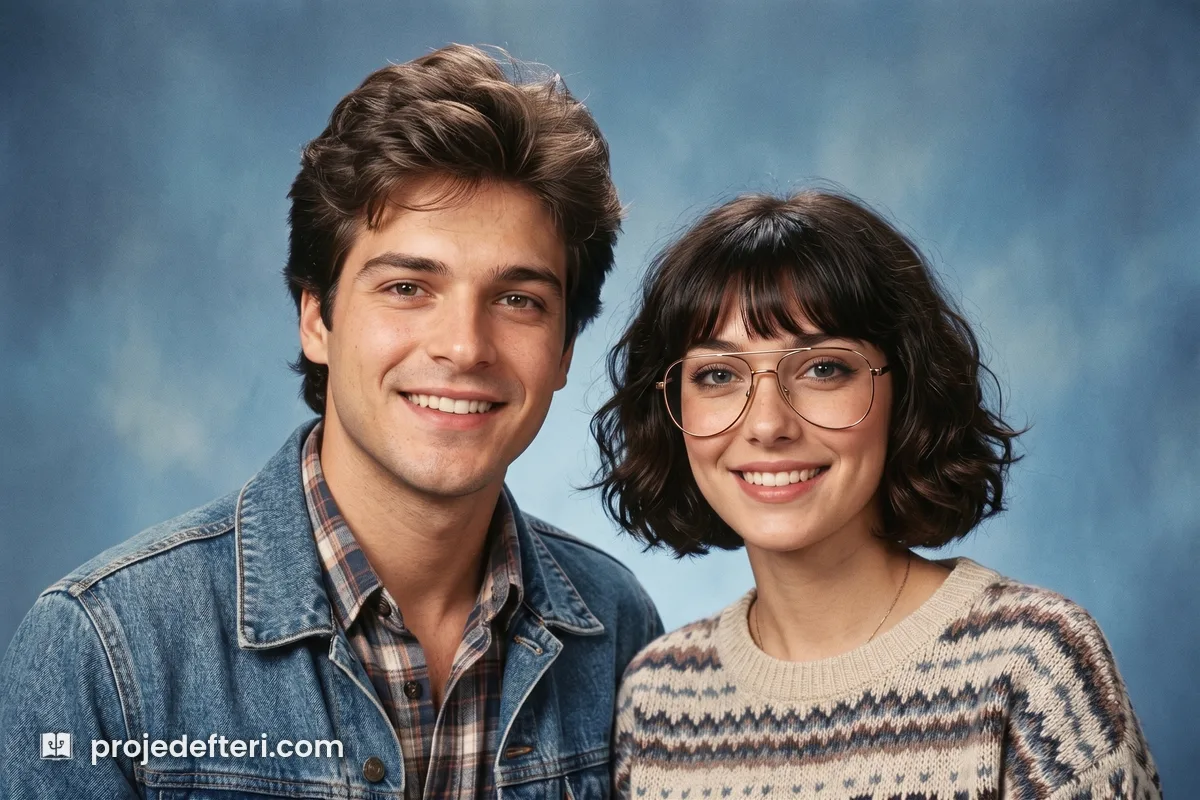
Recreate the person or people in this photo as if shot in a 1985
photo studio. Preserve every person's facial features, proportions
and identity exactly, do not blend their faces. Give each of them
period appropriate hair, clothing and accessories. Soft studio
lighting, blue gradient backdrop. Analog film look, light grain,
light vignette. Chest up, everyone in frame, sharp portrait.
This is also the closest prompt to the 80s yearbook photo look people are searching for. Swap “1985 photo studio” for “1985 high school yearbook studio” and add “seated at a slight angle, looking at the camera” if you want the school-portrait pose rather than a generic one.
2. Miami Sunset
Pastel blazers, art deco buildings, a pink orange sky.
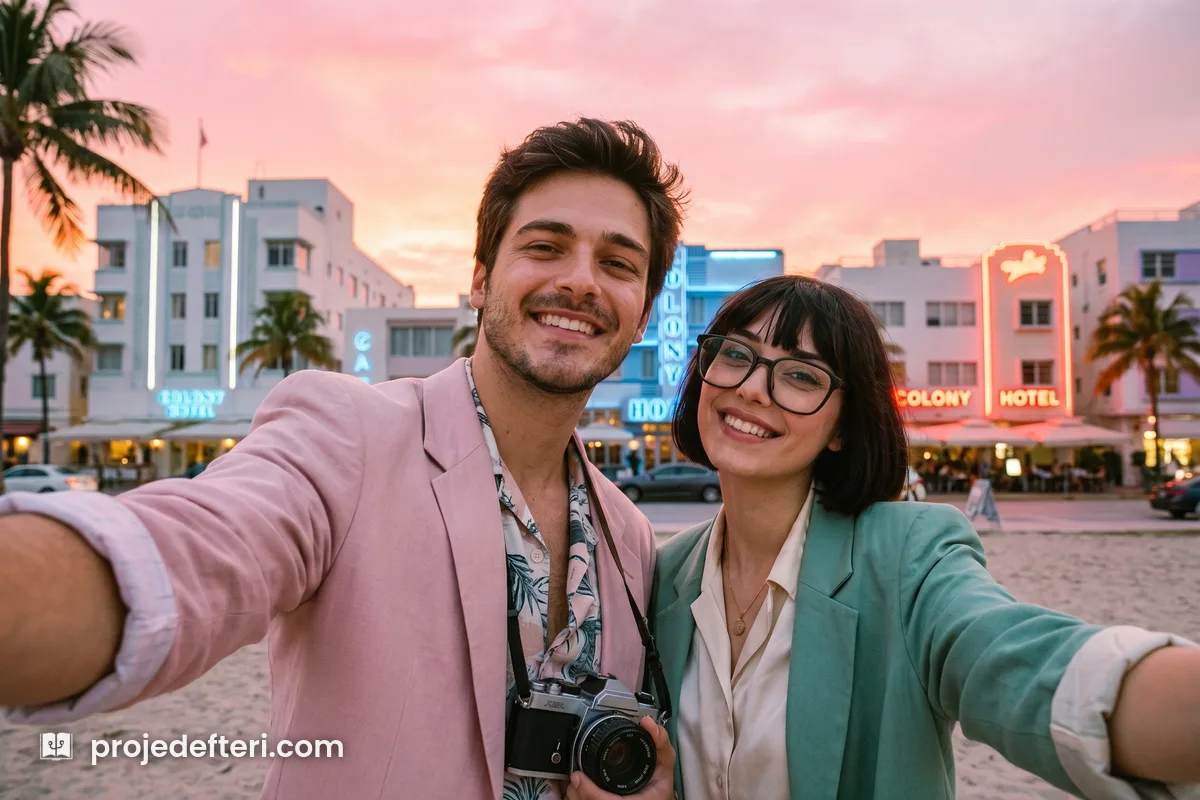
Recreate the person or people in this photo as if shot in 1984
Miami at sunset. Pastel blazers with rolled sleeves, open collar
shirts. Art deco buildings and a pink orange sky behind. Preserve
every person's facial features and identity exactly, do not blend
their faces. Analog film look, light grain, warm color balance.
3. Rock Stage
Leather jacket, big hair, stage fog.
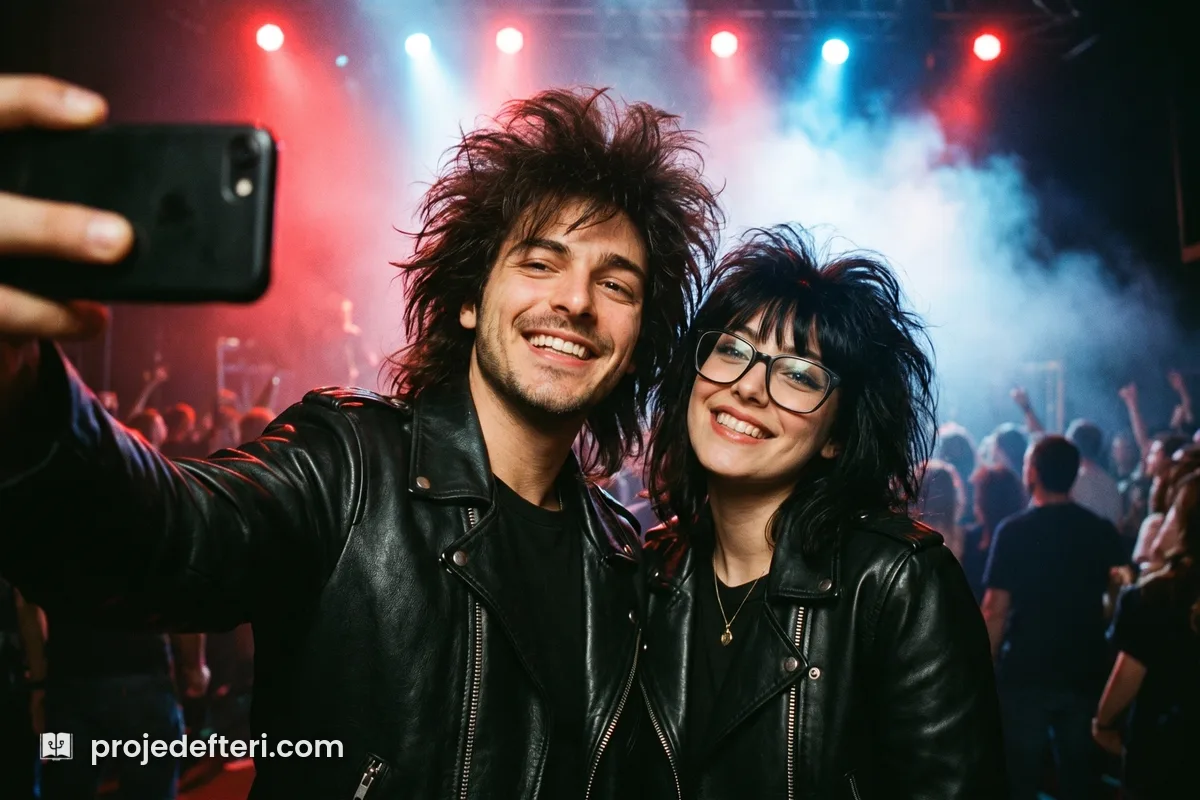
Recreate the person or people in this photo on stage at a 1987
rock concert. Leather jackets, big hair, stage fog and colored
backlights. Preserve every person's facial features and identity
exactly, do not blend their faces. High contrast, analog film grain.
4. Prom Night
Satin outfits, a starry blue backdrop. The school photographer classic of the era.
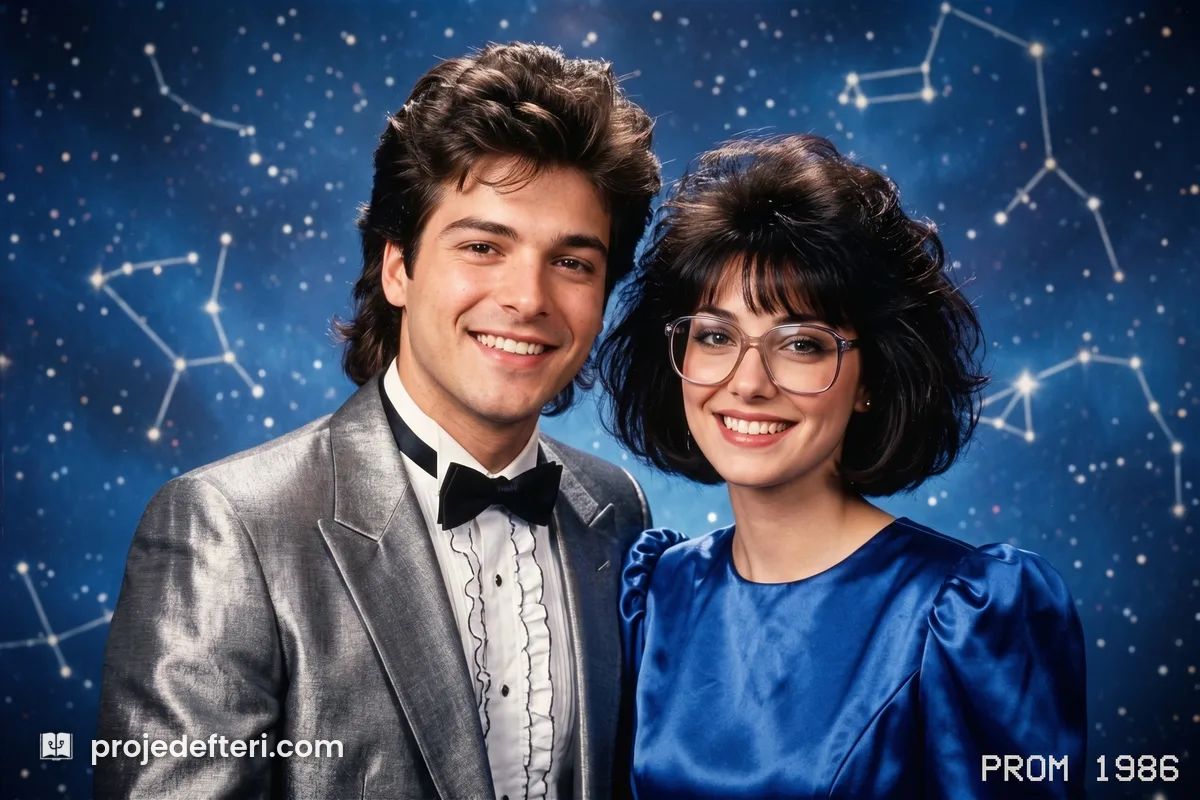
Recreate the person or people in this photo as a 1986 prom studio
portrait. Metallic or satin outfits, period hair. Starry blue studio
backdrop, soft lighting. Preserve every person's facial features and
identity exactly, do not blend their faces. Light vignette, film grain.
Want the laser-beam school backdrop instead of the starry one? Replace “starry blue studio backdrop” with “blue backdrop with pink and white laser beams”. It is the same portrait, and that backdrop is the single most recognisable prop of the decade.
5. VHS Camcorder Frame
Scan lines and an orange date stamp in the corner. When you ask for the stamp, write the date out digit by digit. Say “a date from 1988” and the model draws something illegible.
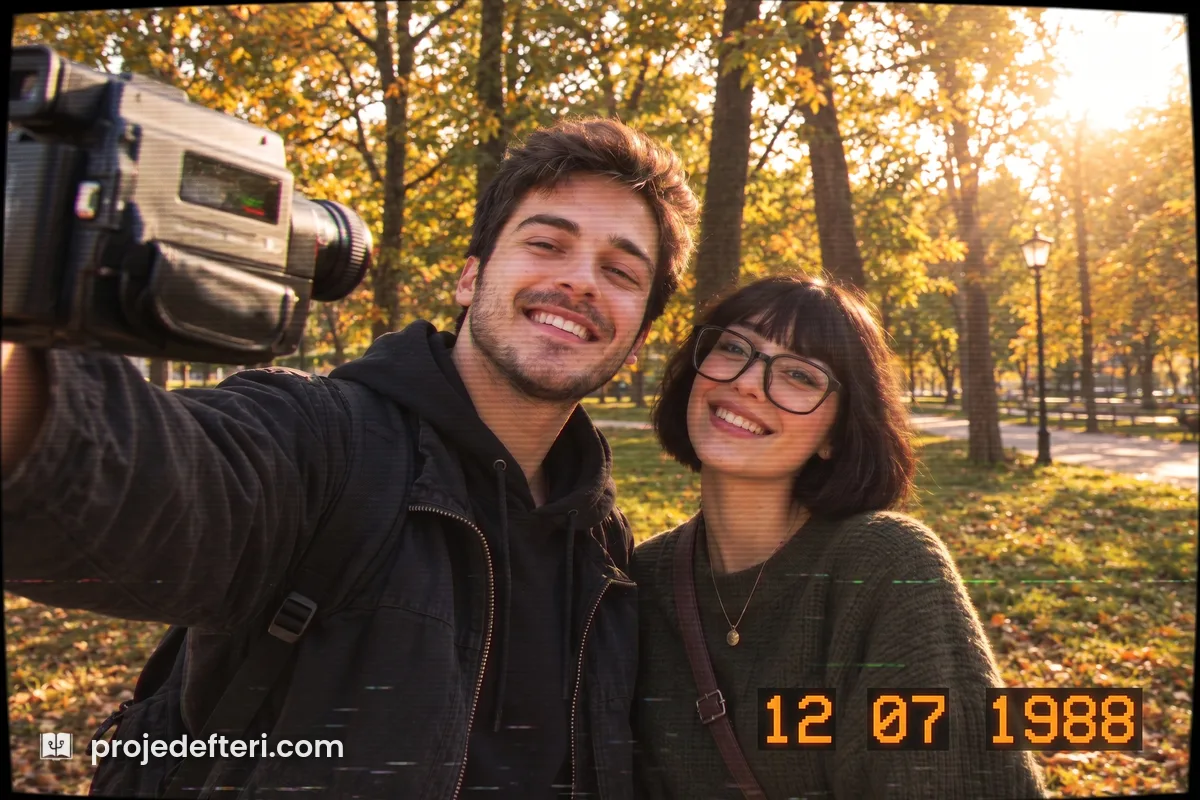
Recreate the person or people in this photo as a still frame from
a 1988 home camcorder tape. Light scan lines, low resolution feel,
color bleed. Orange date stamp in the bottom right: 12 07 1988.
Preserve every person's facial features and identity exactly, do not
blend their faces.
6. Synthwave Neon
Purple pink gradient, a neon grid running to the horizon.
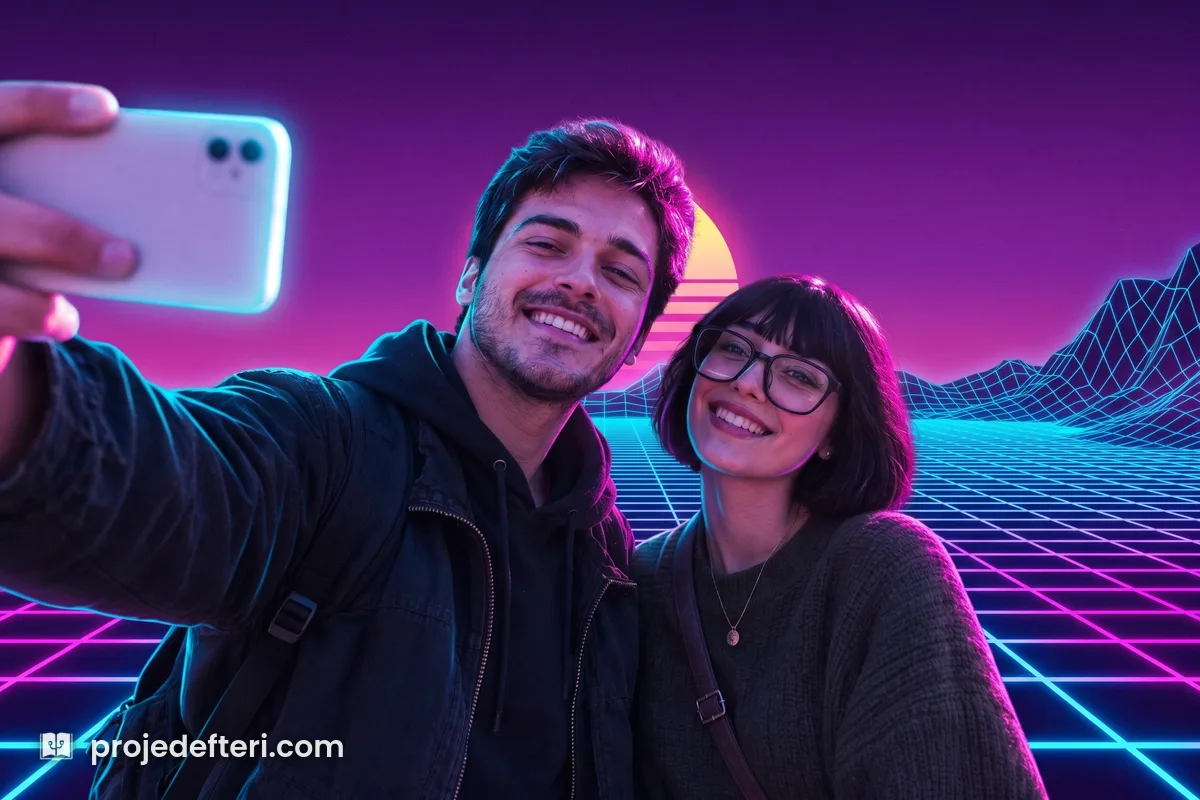
Recreate the person or people in this photo in a synthwave neon
grid scene. Purple pink gradient, neon grid receding to the horizon,
blue and magenta rim light. Preserve every person's facial features
and identity exactly, do not blend their faces. Sharp contrast, light
film grain.
7. Roller Disco
Colourful tracksuits, disco ball lighting.
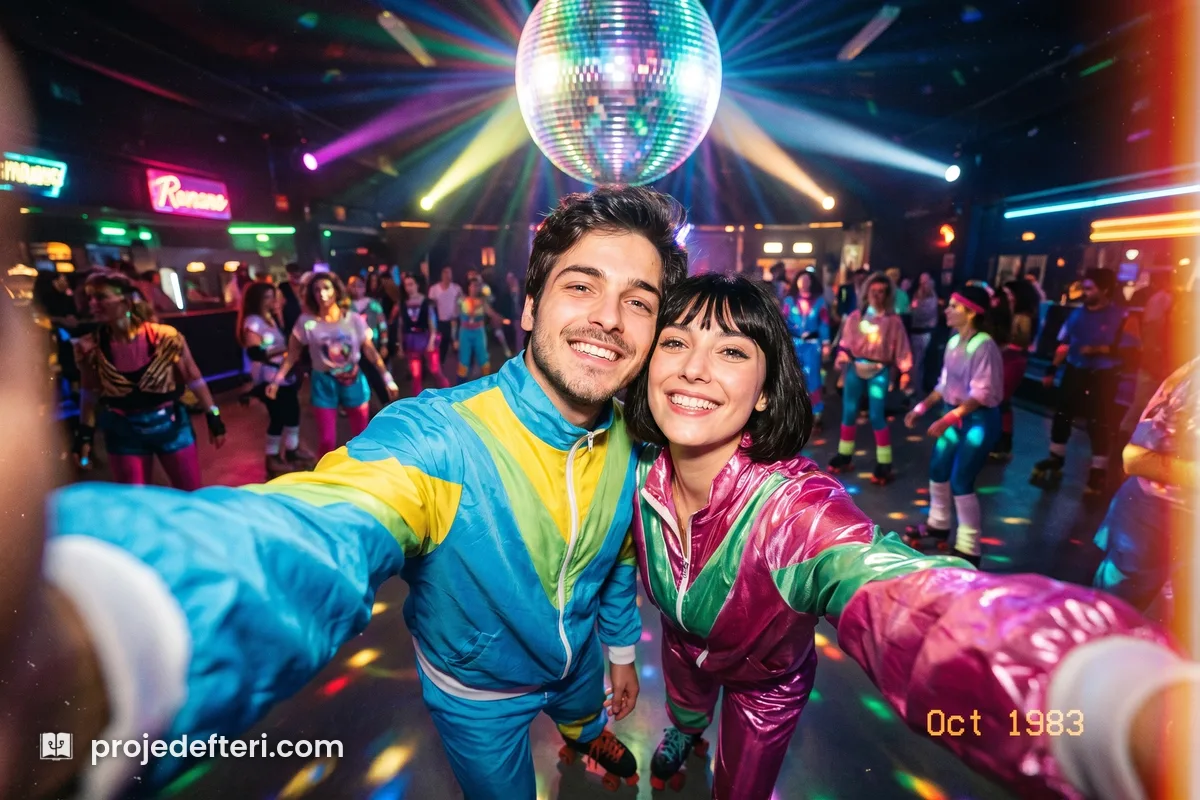
Recreate the person or people in this photo at a 1980 roller
disco. Colorful tracksuits or shiny sportswear, disco ball lighting,
blurred moving crowd behind. Preserve every person's facial features
and identity exactly, do not blend their faces. Analog film look.
8. Magazine Cover
Bold solid backdrop, oversized jewellery, hard studio light. Do not forget the “do not add any cover text” line, otherwise the model sprinkles unreadable letters across the frame.
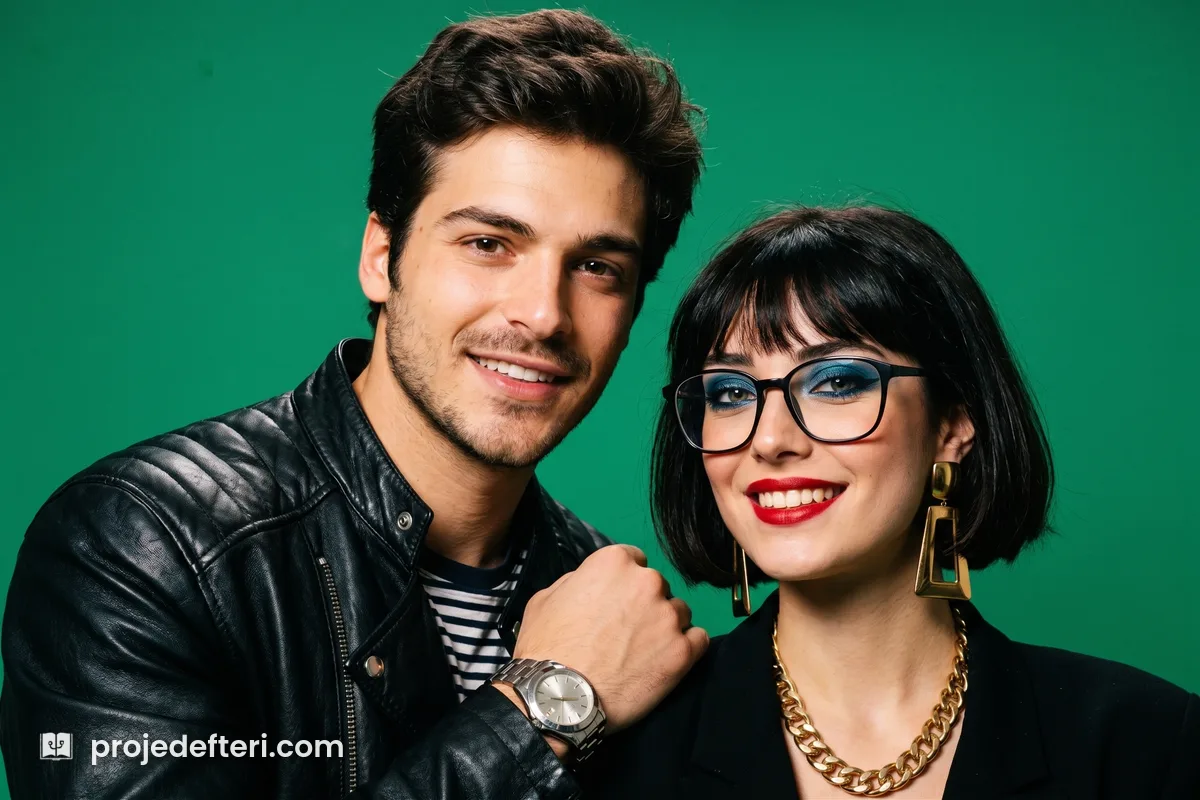
Recreate the person or people in this photo as a 1985 fashion
magazine cover portrait. Bold solid color backdrop, oversized
jewelry, strong makeup, hard studio light. Preserve every person's
facial features and identity exactly, do not blend their faces.
Do not add any cover text, photo only.
9. Arcade
Dark room, coloured screen light hitting the faces.
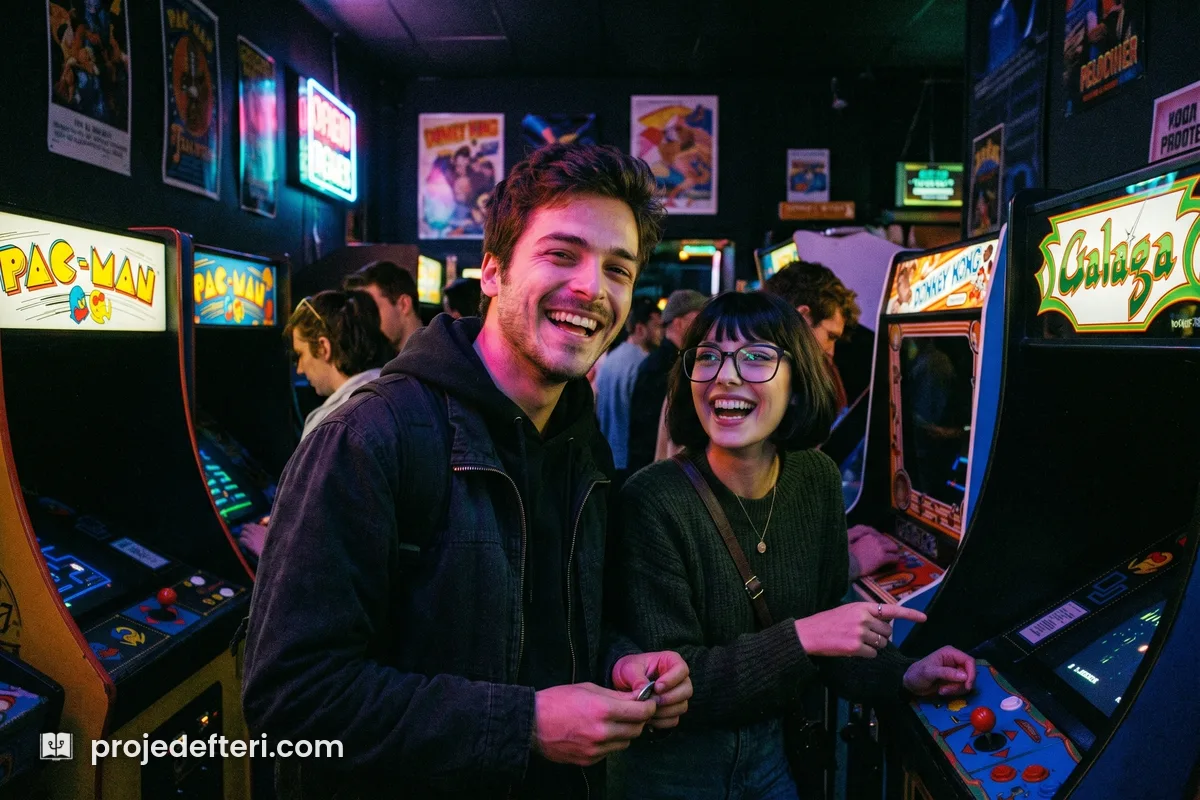
Recreate the person or people in this photo in a 1983 arcade,
among the cabinets. Colored screen light on their faces, dark
surroundings. Preserve every person's facial features and identity
exactly, do not blend their faces. Heavy grain, low light analog
photo look.
10. Beach
An overexposed, yellow-shifted holiday frame.
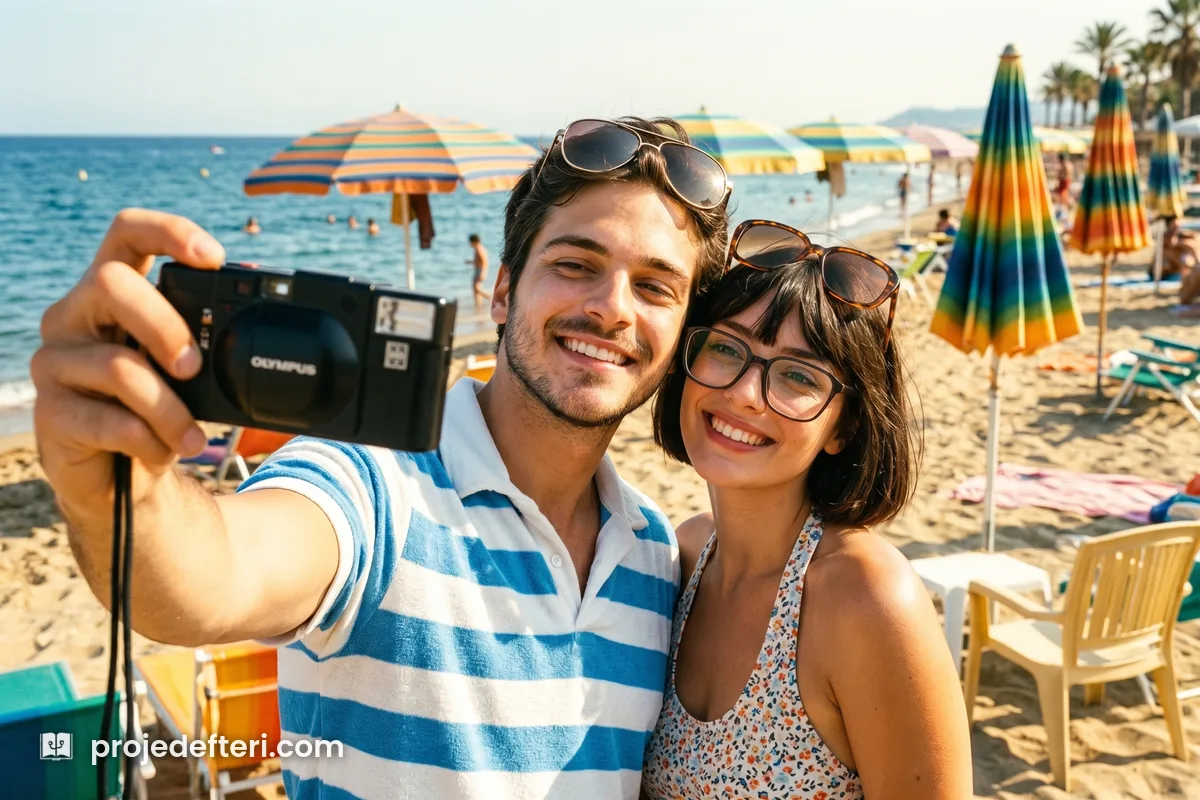
Recreate the person or people in this photo as a 1982 summer
beach holiday photo. Period swimwear or light clothing, sunglasses
pushed up, sea and faded umbrellas behind. Preserve every person's
facial features and identity exactly, do not blend their faces.
Slightly overexposed, yellow shifted film look.
11. Night Street
Wet asphalt, blurred neon signs.
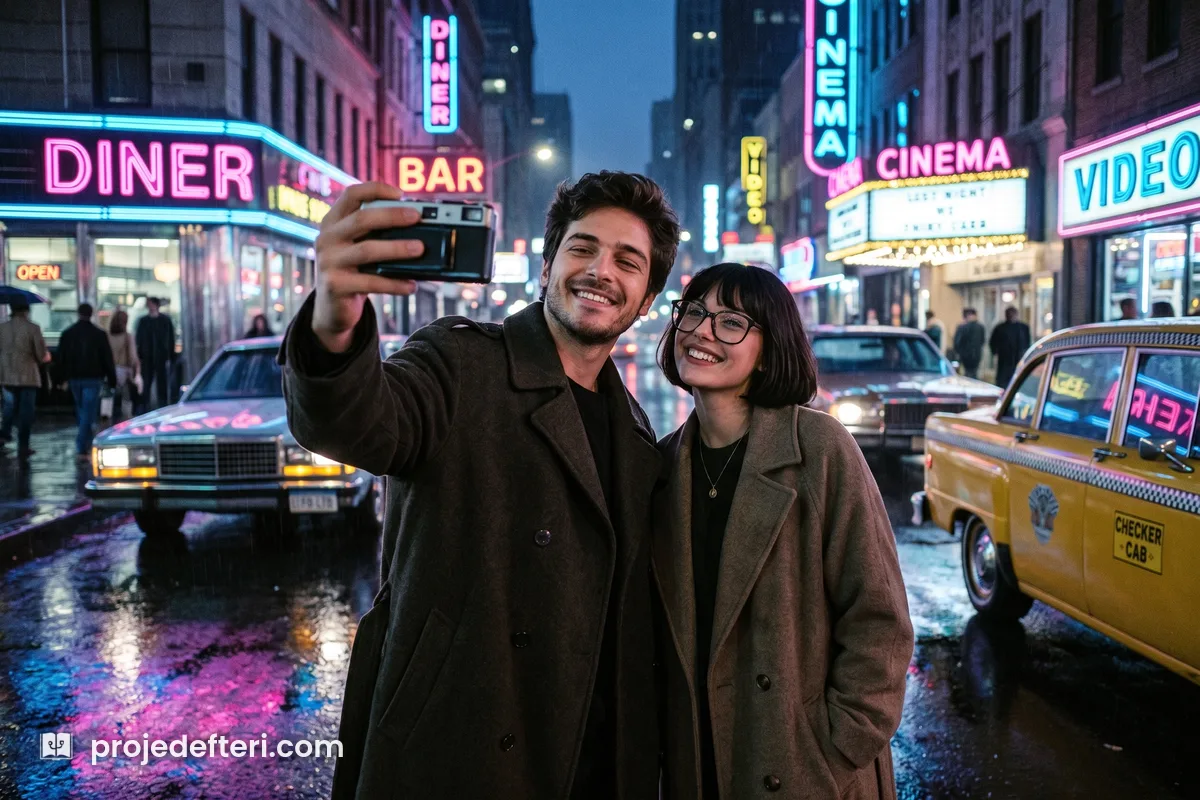
Recreate the person or people in this photo on a city street at
night in 1986, under neon signs. Wet asphalt reflections, long coats,
blurred neon lettering behind. Preserve every person's facial
features and identity exactly, do not blend their faces. Low light,
visible grain, cool color balance.
Building Your Own Theme
All eleven prompts above come out of the same template. Put the scene you have in mind into this order and it will work:
If you want the 90s version, one warning: changing the year is not enough. The 90s mean cooler colour, flatter light and plainer clothing. Leave those out and the model hands you the 80s again.
Crowded frames get harder. The more people in the shot, the more these models drift towards making everyone look related, which is why the “do not blend their faces” clause is not optional. Past five people the output quality drops noticeably. Splitting a large family photo in two and running each half separately gives better results than fighting a single crowded frame.
Frequently Asked Questions
Q: How do you do the 80s AI photo trend? A: Open an AI app that can generate images, upload a sharp photo and paste one of the prompts above as a single block. No separate app and no paid subscription is required.
Q: Does it work on couple or group photos? A: Yes. Every prompt here starts with “the person or people in this photo” and converts everyone in the frame, so there is no separate version to use. The one critical line is “do not blend their faces”; remove it and the model starts making everyone look related. Past five people the output quality drops.
Q: Which app is the 80s photo trend made with? A: ChatGPT is the most common one. Gemini and Grok do the same job. All three are general purpose apps with image generation, not apps built for the trend.
Q: Is the 80s AI photo trend free? A: It can be done on free accounts, but most providers cap image generation per day on the free tier. If you hit the cap, you wait for the next day or try another model.
Q: How do I get the 80s yearbook photo look specifically? A: Use the classic studio portrait prompt and change the setting line to a 1985 high school yearbook studio. Add the laser-beam backdrop if you want the most recognisable school-photo prop of the decade, and keep the framing line so the crop stays chest up.
Q: Why doesn’t the face look like me? A: These models do not filter your photo, they summarise it and redraw it from scratch, and fine facial detail is lost in that summary. Give it a sharp, front-facing frame, keep the identity line in the prompt, and run the same request one more time.
Q: What changes for the 90s look? A: Writing a different year is not enough. The 90s mean cooler colour balance, flatter light and plainer clothing. Without those in the prompt, the model keeps giving you the 80s aesthetic.
Stay well… 🙂