- Below are 12 ready-made prompts. Copy one, paste it into Gemini or ChatGPT together with your photo, that is the whole method.
- Every prompt is written to work on solo, couple and group photos. However many people are in the frame, all of them get converted. Nothing else to change.
- Each prompt comes with a sample output made with that exact prompt, so you can see what you are getting before you spend a generation.
- The 90s are not the 80s with a different year in the prompt. What separates them is cool colour, flat light and plain clothing. Leave those out and the model hands you the 80s again.
After the 80s trend filled everyone’s feed through the summer, the next decade was always going to follow. The appeal of the 90s look is the opposite one: no excess, no shoulder pads. A frame shot with a direct flash, colour slightly faded, clothing plain. It works precisely because it looks like the actual photographs sitting in everyone’s drawer.
Three steps. Open an AI app that can generate images (Gemini, ChatGPT or Grok), upload a sharp, front-facing photo, and paste one of the prompts below as a single block. That is it. 👇🏻
- Do not delete the identity line. The “preserve every person’s facial features and identity exactly, do not blend their faces” sentence in each prompt is the only thing keeping the faces recognisable. In crowded frames the second half matters just as much, because these models drift towards making everyone look related.
- Upload the original file, not a screenshot. A frame that has been compressed twice noticeably degrades the result.
- Do not split the prompt. Send it in one message, not as a series of bullet points.
1. Yearbook Portrait
The most searched version of the trend. If you do not know where to start, start here.
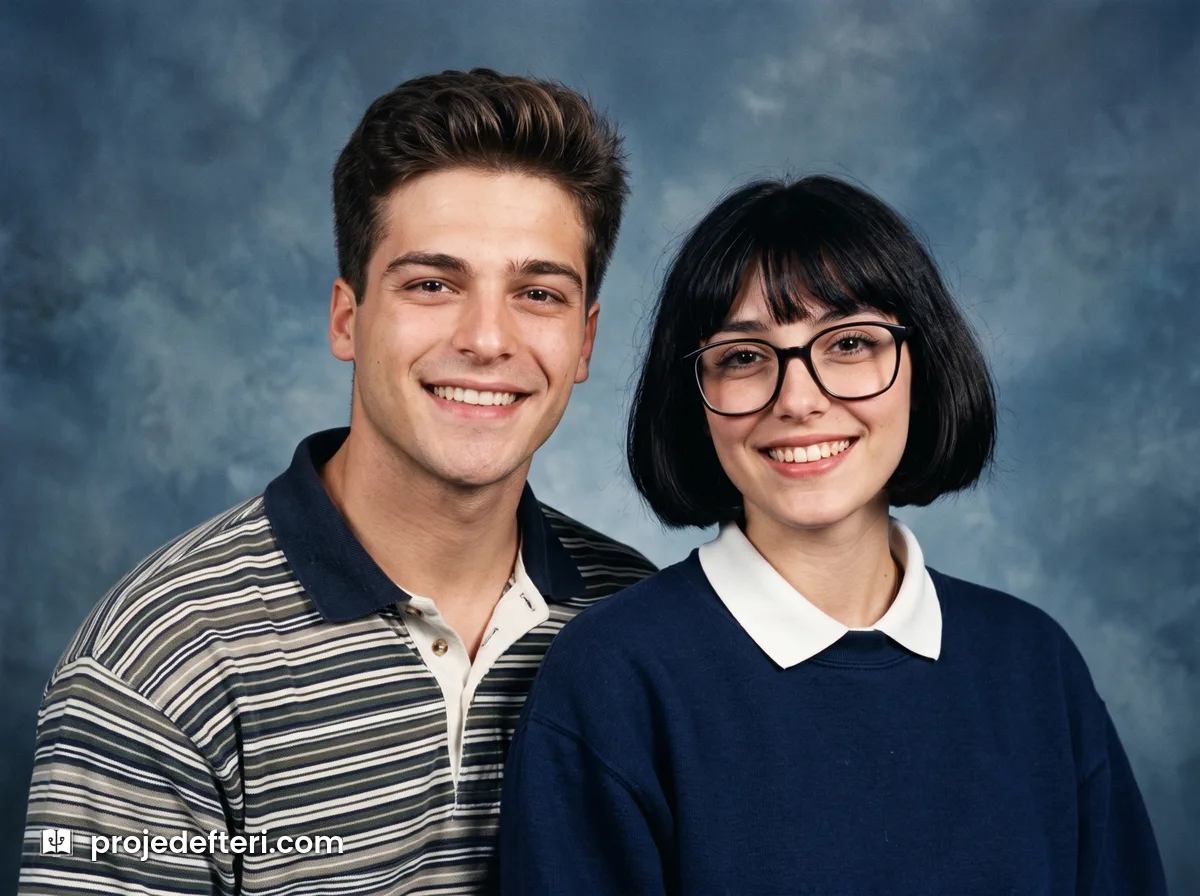
Recreate the person or people in this photo as if shot for a 1995 school yearbook. Preserve every person's facial features, proportions and identity exactly, do not blend their faces. Give each of them period appropriate hair and plain clothing. Mottled blue grey studio backdrop, direct flat flash, soft shadow. Analog film look, light grain, cool colour balance. Chest up, everyone in frame, 4:3 ratio.
This is the prompt for the 90s school photo look people search for. If you want the more familiar school pose, add “seated at a slight angle, looking at the camera”.
2. Disposable Camera
The decade’s signature. Direct flash, red-eye, an orange date stamp in the corner.
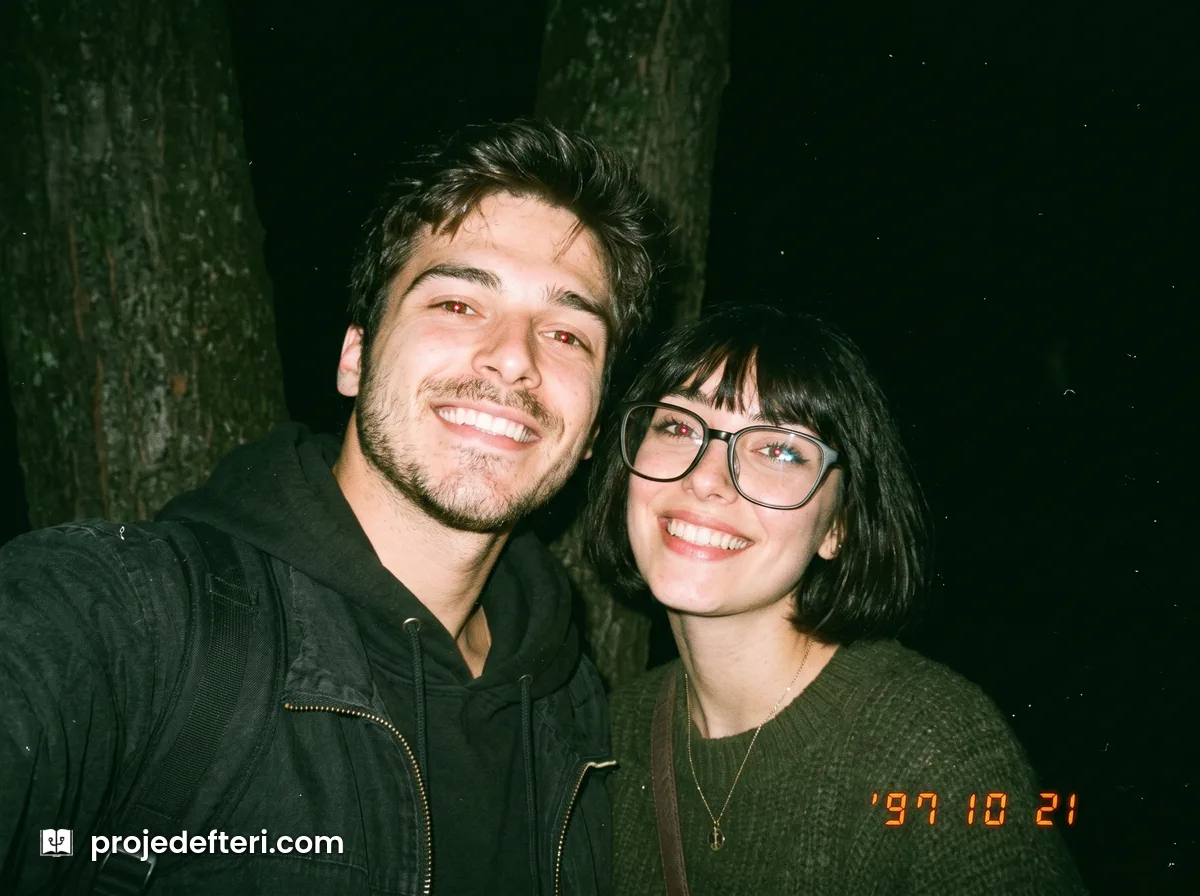
Recreate the person or people in this photo as if shot on a disposable camera in 1997. Preserve every person's facial features and identity exactly, do not blend their faces. Harsh direct flash, background falling into darkness, slight red-eye. Analog film look, heavy grain, slight green colour cast. Orange digital date stamp in the bottom right corner. 4:3 ratio, slightly tilted framing.
The text in the date stamp comes out garbled in most models. If that bothers you, delete the last sentence. The flash character alone carries the period.
3. Mall Floor
Where the 90s gathered. Tiled floor, neon signage, glass railings.
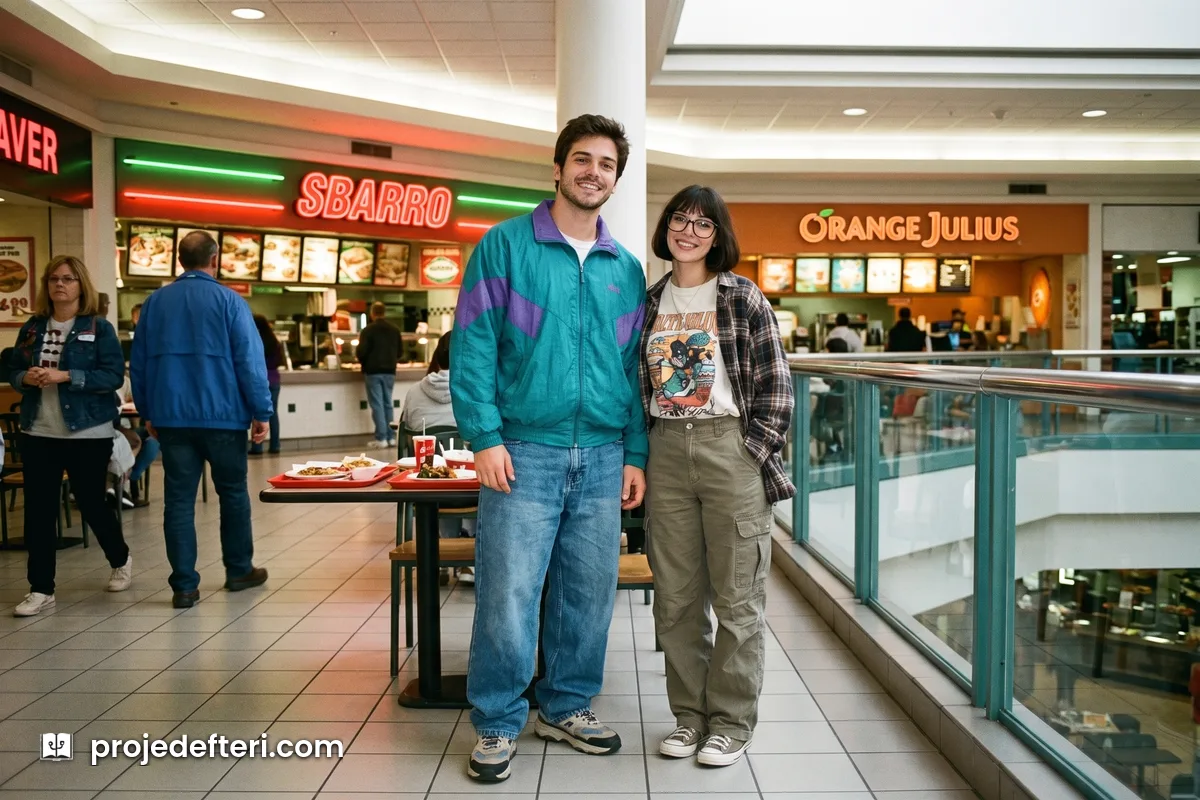
Recreate the person or people in this photo as if shot in a shopping mall food court in 1996. Preserve every person's facial features and identity exactly, do not blend their faces. Period appropriate baggy jeans, sport jacket and sneakers. Tiled floor, neon signage and glass railings behind. Analog film look, light grain, cool fluorescent light, straight framing.
4. Grunge
Flannel, overcast sky, Pacific Northwest.
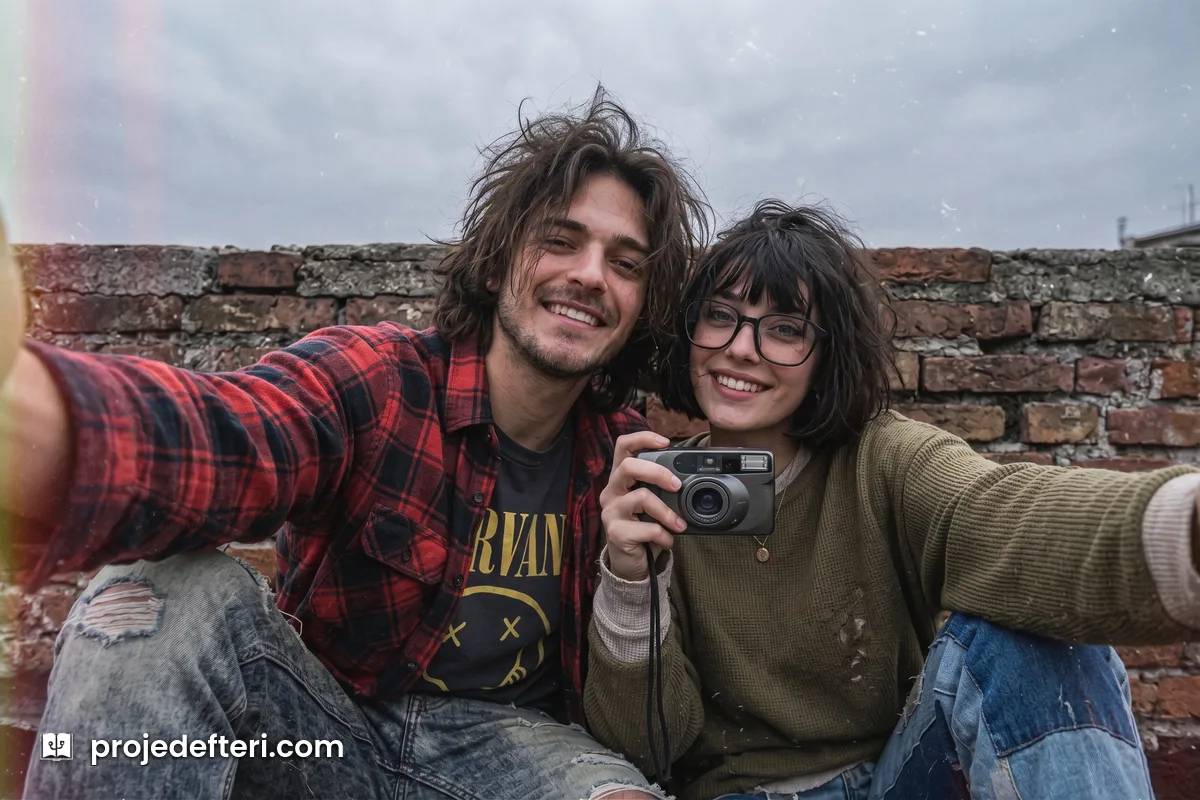
Recreate the person or people in this photo as if shot inside the 1993 grunge scene. Preserve every person's facial features and identity exactly, do not blend their faces. Flannel shirt, worn denim, long unkempt hair. In front of a brick wall under an overcast sky. Analog film look, grain, low contrast, cool and washed out colours.
5. Hip-Hop Street
Baggy cuts, sport jacket, street framing.
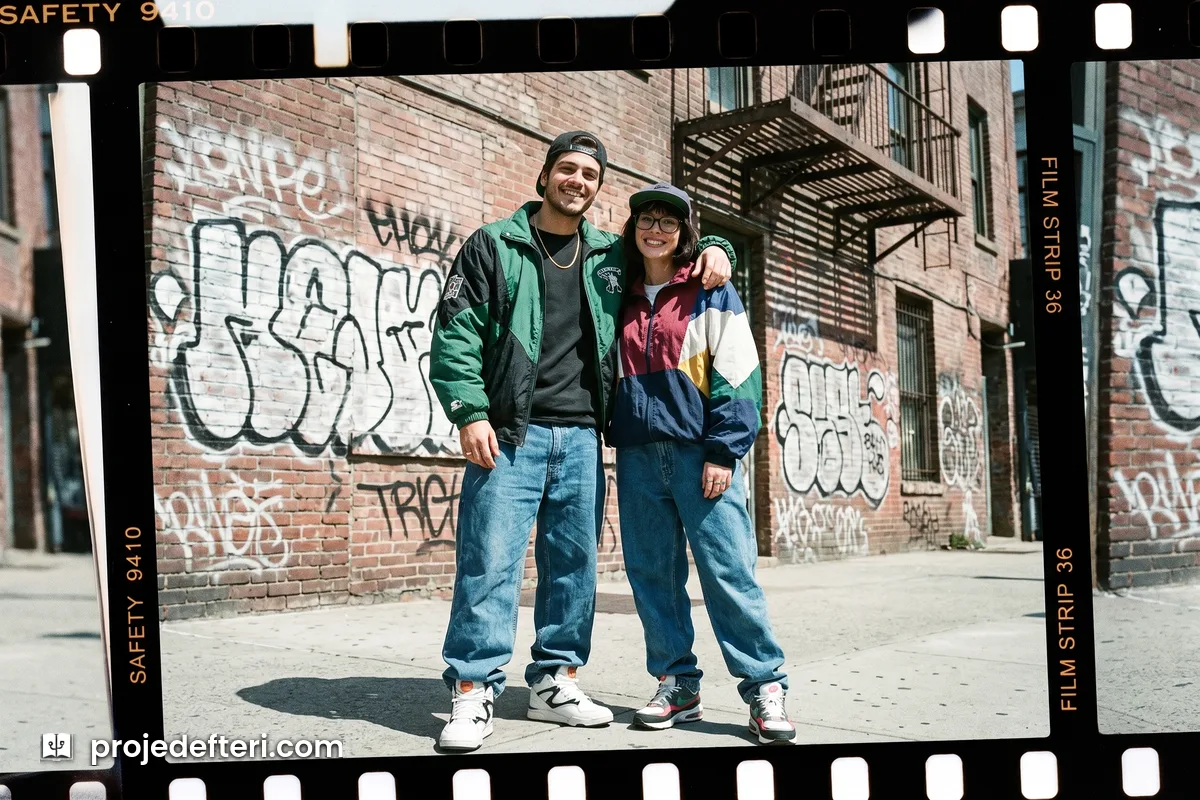
Recreate the person or people in this photo as a 1994 hip-hop style frame shot on a city street. Preserve every person's facial features and identity exactly, do not blend their faces. Very baggy jeans, oversized sport jacket, period sneakers, cap. Graffiti wall and fire escape behind. Analog film look, grain, harsh midday light, slightly cool colour.
6. Pop Group Promo
White backdrop, matching outfits, a record label press shot.
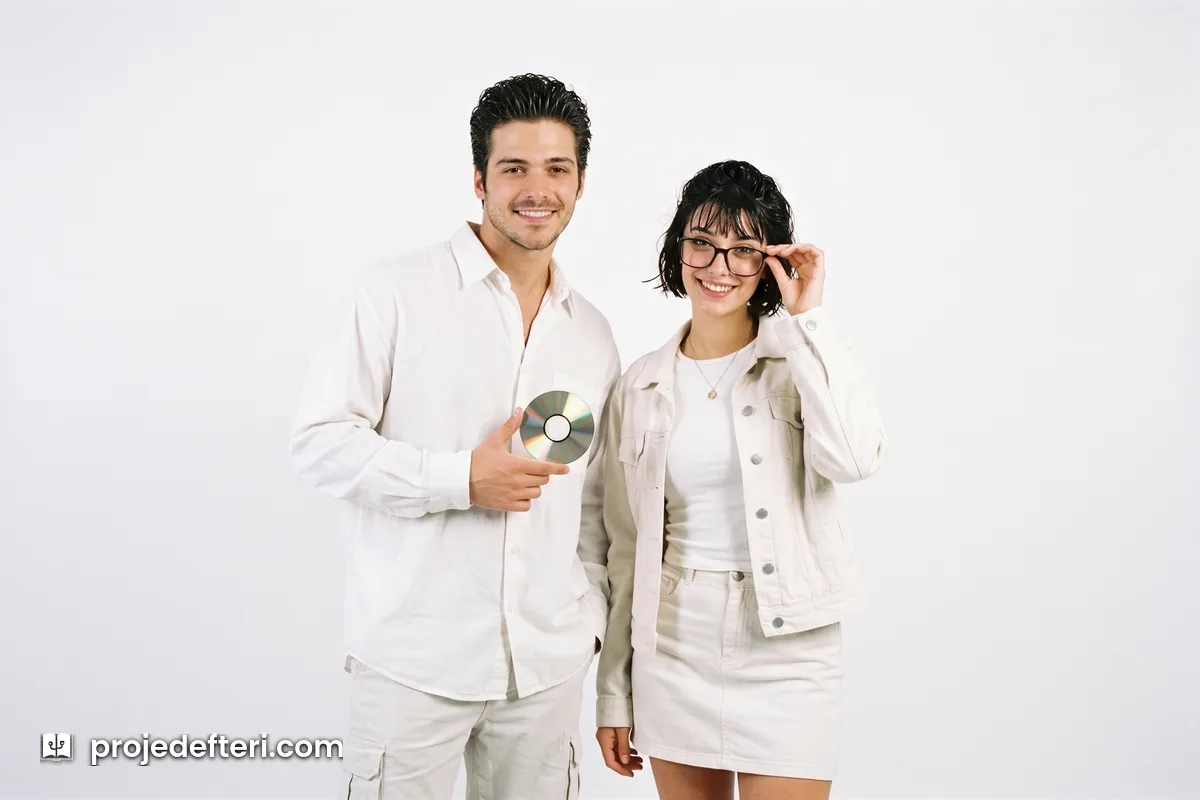
Recreate the person or people in this photo as a 1998 record label pop group promo shot. Preserve every person's facial features and identity exactly, do not blend their faces. Matching white and light coloured outfits, gelled hair. Plain white backdrop, soft studio light from every direction, no shadows. Analog film look, light grain, slight soft focus, waist up.
This is the most reliable prompt in the list for group photos. A plain white backdrop leaves the model’s attention on the faces, so even crowded frames hold together better.
7. 90s Anime
Hand-painted cel, the feel of a frame pulled off a VHS tape.
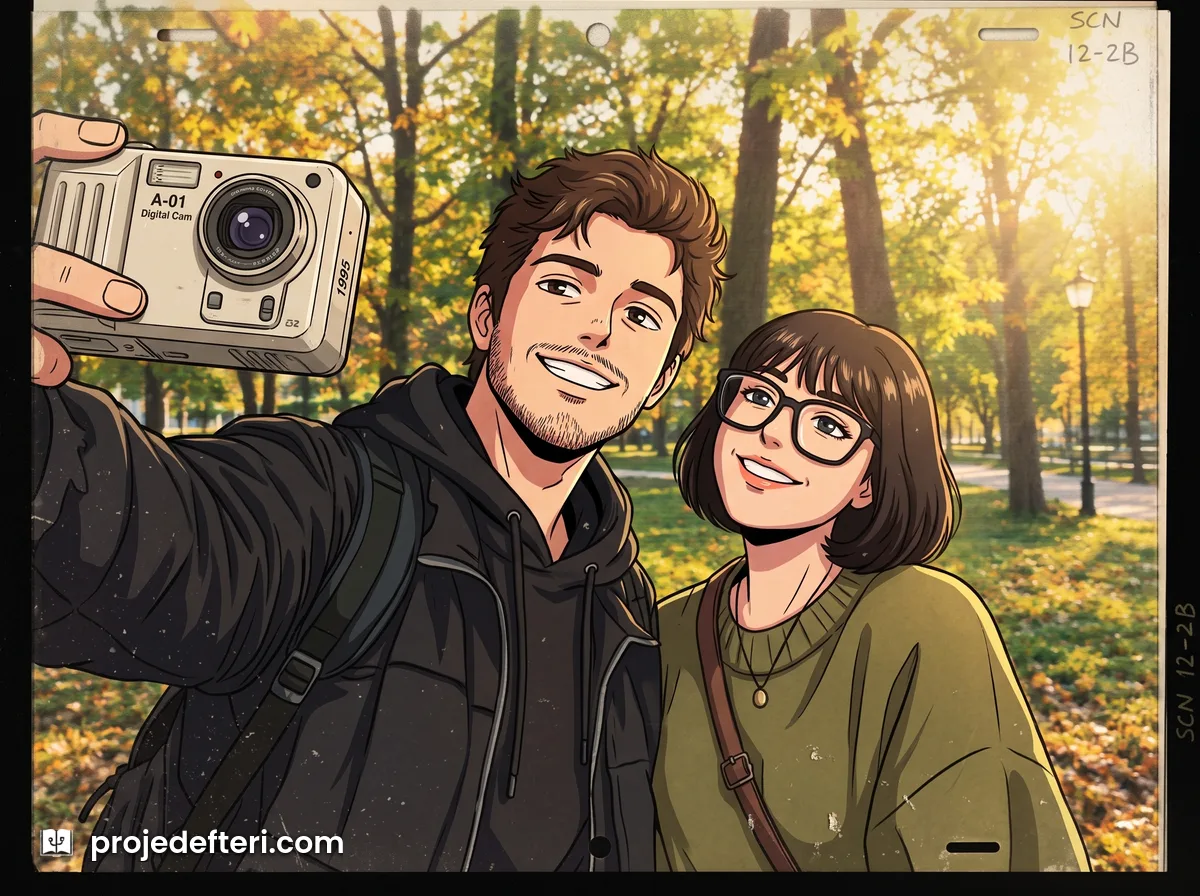
Recreate the person or people in this photo as a hand-painted cel frame from a 1995 anime. Keep every person's facial features, hair colour and identity recognisable, do not blend their faces. Period limited colour palette, thick outlines, hand-painted background. Slight VHS softness and scanlines. 4:3 ratio.
This theme is not photorealistic, which is why the prompt asks for “recognisable” rather than “exact”. Ask for exact and the model gets stuck between a drawing and a photograph and fails at both.
8. Bikes
Suburban street, BMX, late summer light.
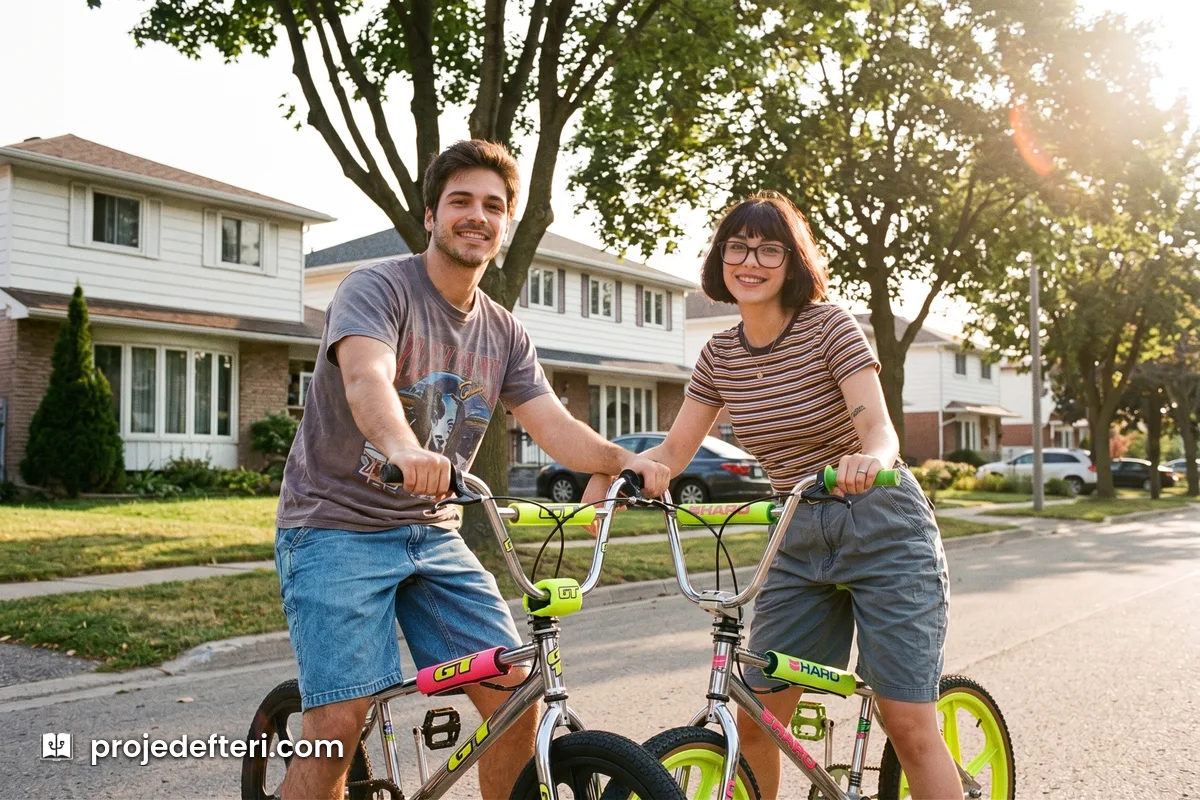
Recreate the person or people in this photo as if shot with their bikes on a suburban street in 1992. Preserve every person's facial features and identity exactly, do not blend their faces. Period appropriate t-shirts and shorts, period BMX bikes. Detached houses and trees behind. Analog film look, grain, low late afternoon sun, warm but washed out colours.
9. Christmas
The most shared family frame there is.
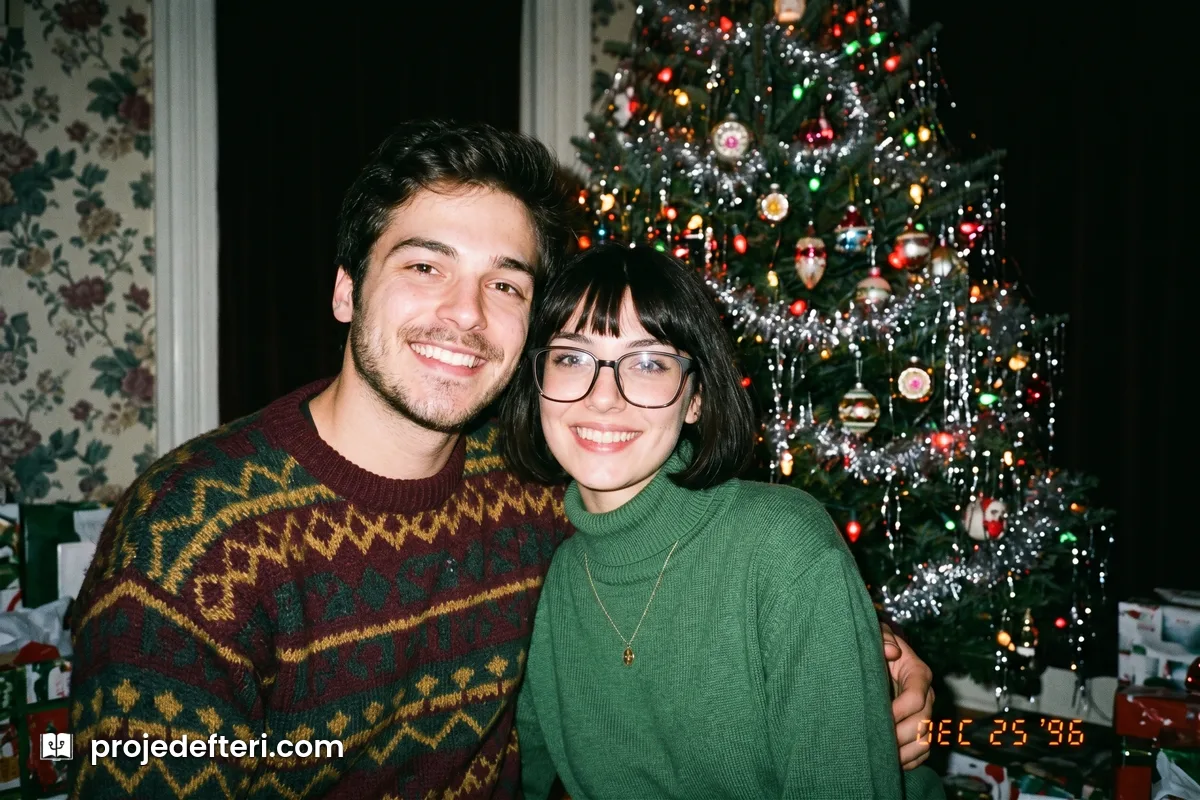
Recreate the person or people in this photo as if shot at Christmas in a living room in 1996. Preserve every person's facial features and identity exactly, do not blend their faces. Period appropriate sweaters and plain clothing. Decorated tree, tinsel and patterned wallpaper behind. Harsh direct flash, background falling into darkness. Analog film look, grain, slight yellow colour cast.
10. Couple Portrait
The period’s studio couple shot: soft focus, smoke grey backdrop, white shirts.
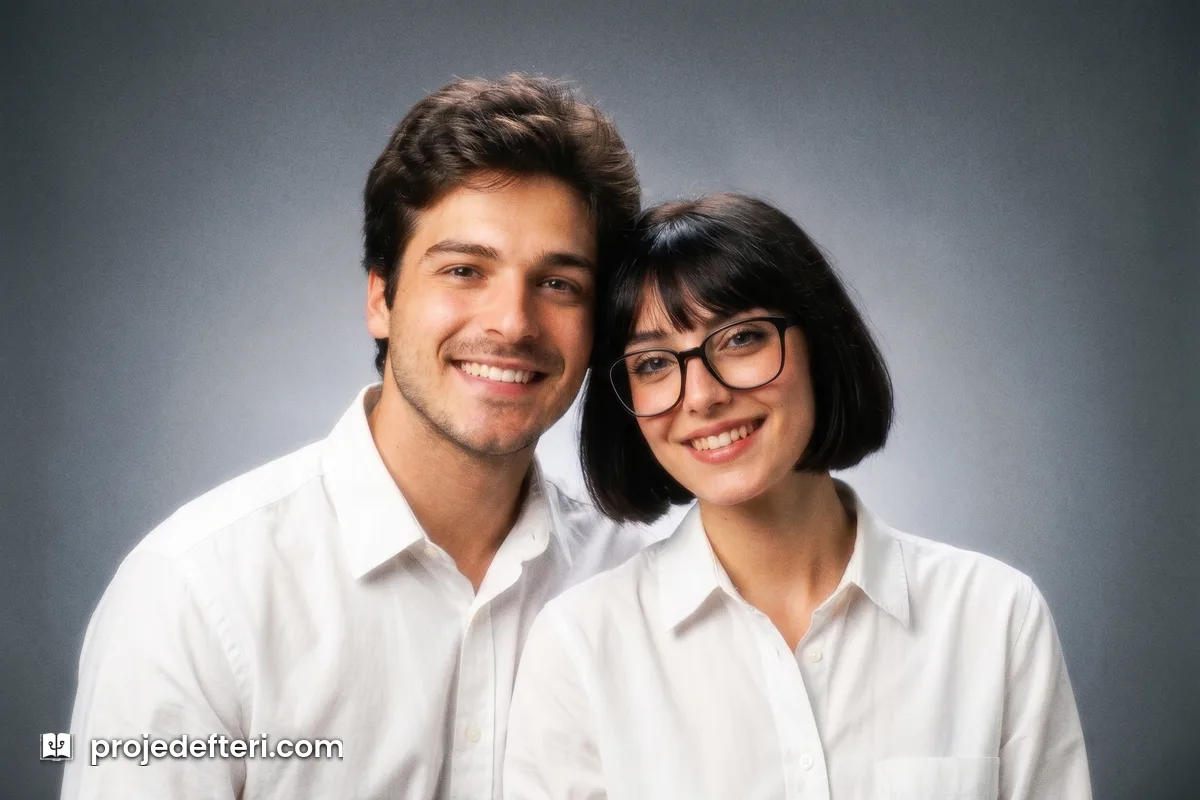
Recreate the person or people in this photo as a classic 1994 photo studio couple portrait. Preserve every person's facial features and identity exactly, do not blend their faces. Plain white shirts, period hair. Smoke grey gradient backdrop, soft wide studio light, slight soft focus and slight glow. Analog film look, fine grain, warm skin tones, chest up.
It works with more than two people in the frame as well. The prompt starts with “the person or people in this photo”, so there is no separate family version to use.
11. Photo Booth Strip
Four frames, vertical strip, black and white.
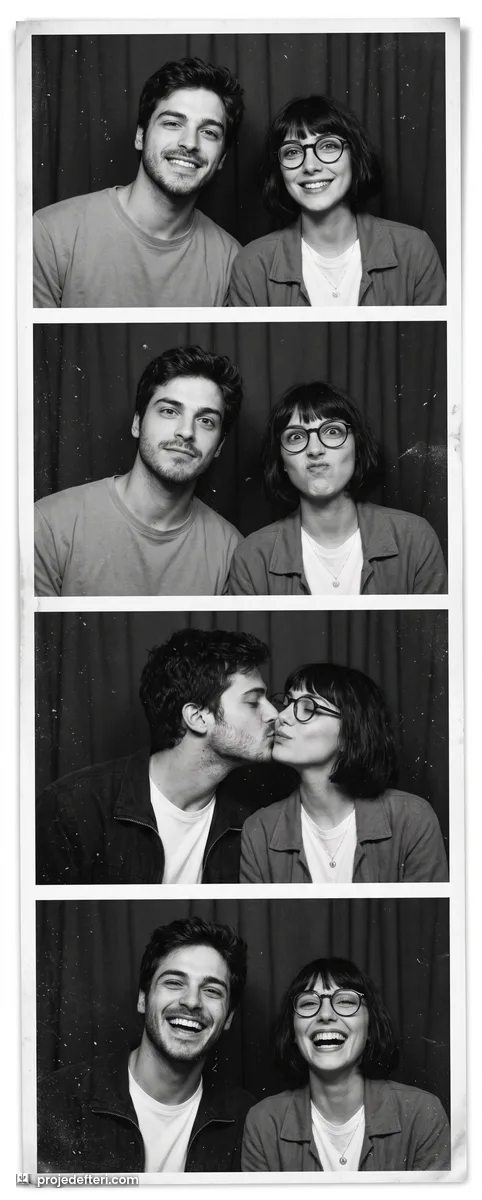
Recreate the person or people in this photo as a four frame vertical photo booth strip shot in 1999. Preserve every person's facial features and identity exactly in all four frames, do not blend their faces. A different expression in each frame, plain clothing, flat curtain backdrop. Harsh booth flash, black and white, high contrast, heavy grain, thin white gap between frames.
Holding the same face across all four frames is the hardest job in this list. If the first attempt misses, send the same prompt again.
12. Sitcom Cast
A television show’s start-of-season press shot.
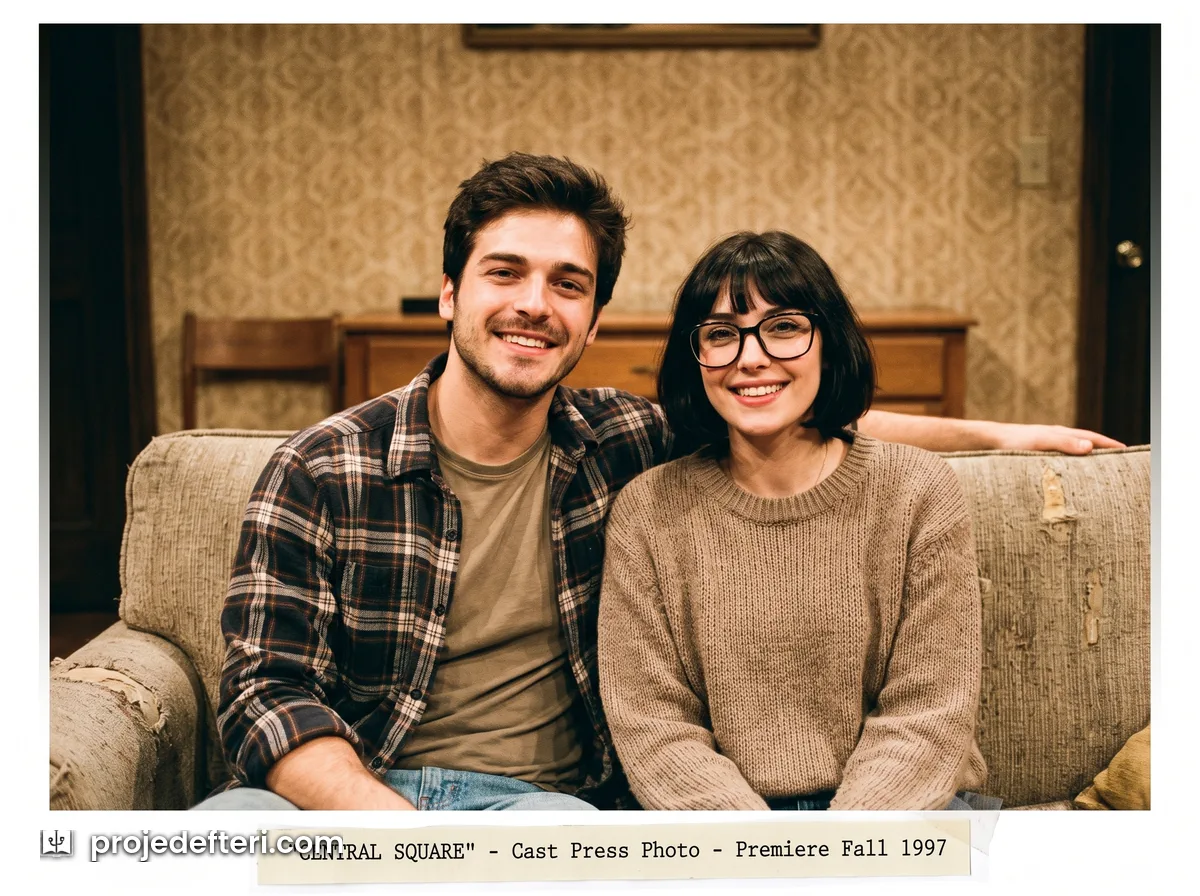
Recreate the person or people in this photo as a cast press photo for a 1997 television show. Preserve every person's facial features and identity exactly, do not blend their faces. Period appropriate plain everyday clothing. A couch on a set, patterned wall behind. Warm even studio light, smiling at the camera. Analog film look, light grain, 4:3 ratio.
Building Your Own Theme
All twelve prompts above come out of the same template. Put the scene you have in mind into this order and it will work:
The three words that separate the 90s from the 80s. Changing the year is not enough, because these models default to the 80s whenever they hear “retro”. Three things have to be spelled out:
- Cool colour balance. The 80s were warm and orange. The 90s are blue, green tinted and washed out.
- Flat light. Instead of the 80s gel lights and neon, a direct flash or an overcast sky.
- Plain clothing. No shoulder pads, no shiny fabric, no loud accessories. Flannel, denim and plain t-shirts instead.
Leave those three out and the model hands you the 80s again. It is the single most common mistake.
Crowded frames get harder. The more people in the shot, the more these models drift towards making everyone look related, which is why the “do not blend their faces” clause is not optional. Past five people the output quality drops noticeably. Splitting a large family photo in two and running each half separately gives better results than fighting a single crowded frame.
Frequently Asked Questions
Q: How do you do the 90s AI photo trend? A: Open an AI app that can generate images, upload a sharp photo and paste one of the prompts above as a single block. No separate app and no paid subscription is required.
Q: What is the difference between the 90s and the 80s AI photo trend? A: Changing the year in the prompt is not enough. The 90s mean cool colour balance, flat light and plain clothing. Without those three written into the prompt, the model defaults back to the warm, neon-lit, oversized look of the 80s.
Q: Does it work on couple or group photos? A: Yes. Every prompt here starts with “the person or people in this photo” and converts everyone in the frame, so there is no separate version to use. The one critical line is “do not blend their faces”; remove it and the model starts making everyone look related. Past five people the output quality drops.
Q: Which app is the 90s photo trend made with? A: Gemini is the most commonly named one for this trend. ChatGPT and Grok do the same job. All three are general purpose apps with image generation, not apps built for the trend.
Q: Is the 90s AI photo trend free? A: It can be done on free accounts, but most providers cap image generation per day on the free tier. If you hit the cap, you wait for the next day or try another model.
Q: How do I get the 90s yearbook photo look specifically? A: Use the yearbook portrait prompt. The mottled blue grey backdrop and the direct flat flash are the period school photographer’s signature. Add “seated at a slight angle, looking at the camera” if you want the more familiar school-photo pose.
Q: Why doesn’t the face look like me? A: These models do not filter your photo, they summarise it and redraw it from scratch, and fine facial detail is lost in that summary. Give it a sharp, front-facing frame, keep the identity line in the prompt, and run the same request one more time.
Q: Why is the text in the date stamp garbled? A: Image models are still weak at small type. Delete the date stamp sentence from the disposable camera prompt; the flash character carries the period on its own.
Stay well… 🙂