- The detector sites that score an image “87% AI” are guessing. Classifier-based detectors fail on generators they were not trained on, and they flag real photos as fake.
- What actually proves something is a provenance signal: C2PA Content Credentials (metadata) and SynthID (an invisible watermark baked into the pixels).
- Three checks, in order: drop the file into openai.com/verify, ask the Gemini app “is this made with AI”, and read the metadata at c2paviewer.com.
- A found signal is strong evidence. No signal found is not evidence the image is real: a screenshot, a re-upload or a format conversion is often enough to erase it.
- Google says SynthID is now inside more than 100 billion images and videos, and the “is this AI” check in Gemini has been used 50 million times.
Someone sends you a photo and you want to know whether a camera took it. The first thing most people do is search “AI image detector”, paste it into the first site that ranks, and read a percentage. That number is close to meaningless, and this article is mostly about what to do instead.
There is a real answer, it just works the other way around from what people expect: you do not detect the AI, you look for the signature it left. 👇🏻
Why the Detector Sites Do Not Work
The detectors that upload your image and return a confidence score are classifiers. They were trained on images from a set of generators and they look for the statistical fingerprints those generators leave behind.
A cross-paradigm benchmark published this year (VendorBench-100) tested this properly and the results are unkind. Detectors trained on specific generators perform poorly on generators they have not seen, accuracy drops considerably in cross-generator testing, and false positives climb when a detector meets an image outside its training distribution. Ordinary JPEG compression degrades performance further, and a screenshot, which loses resolution and rewrites every pixel, makes it worse again.
Put those together and you get the failure mode that matters in practice: the tool is least reliable exactly when you need it most. A viral image has usually been screenshotted, re-encoded and recompressed by three platforms before it reaches you, and it usually comes from whichever model shipped last month rather than the ones the detector was trained on.
There is a second problem nobody advertises. A false positive is not a harmless error. Telling a student their real photo is AI, or telling a court a genuine picture is synthetic, is a worse outcome than saying “I do not know”.
The Two Signals That Do Mean Something
Instead of asking a model to guess, look for what the generator deliberately left in the file.
C2PA Content Credentials are metadata. C2PA is an open standard, not an AI product: it records what tool created or edited a file, when, and what happened to it afterwards. Camera makers and news organisations use the same standard to certify that a human photographer shot something. Google’s Pixel camera writes Content Credentials for ordinary photos for exactly this reason.
SynthID is a watermark. Rather than sitting in metadata, it is a signal embedded in the pixels themselves, so it survives transformations that strip metadata entirely. Google reports it is now embedded in over 100 billion images and videos, plus the equivalent of 60,000 years of audio.
The two fail in opposite directions, which is why serious pipelines use both. Metadata carries far more detail but any platform, editor or format conversion can drop it. A watermark carries less information but it holds on through edits that would erase metadata. OpenAI now attaches both to supported images generated in ChatGPT, Codex and the API, and a SynthID watermark to supported generated audio.
The Three Checks, in Order
1. openai.com/verify
Upload the file. The tool looks for OpenAI’s provenance signals, meaning a SynthID watermark or a trusted C2PA manifest tied to OpenAI. If it finds one, the content was generated by or exported from an OpenAI tool.
Read its scope carefully: it is designed for OpenAI’s own signals and is not designed to detect content from other AI services. There is also a verification API if you need to do this at volume.
2. The Gemini app
Upload the image and ask whether it was made with AI. Gemini checks for a SynthID watermark and covers images, video and audio.
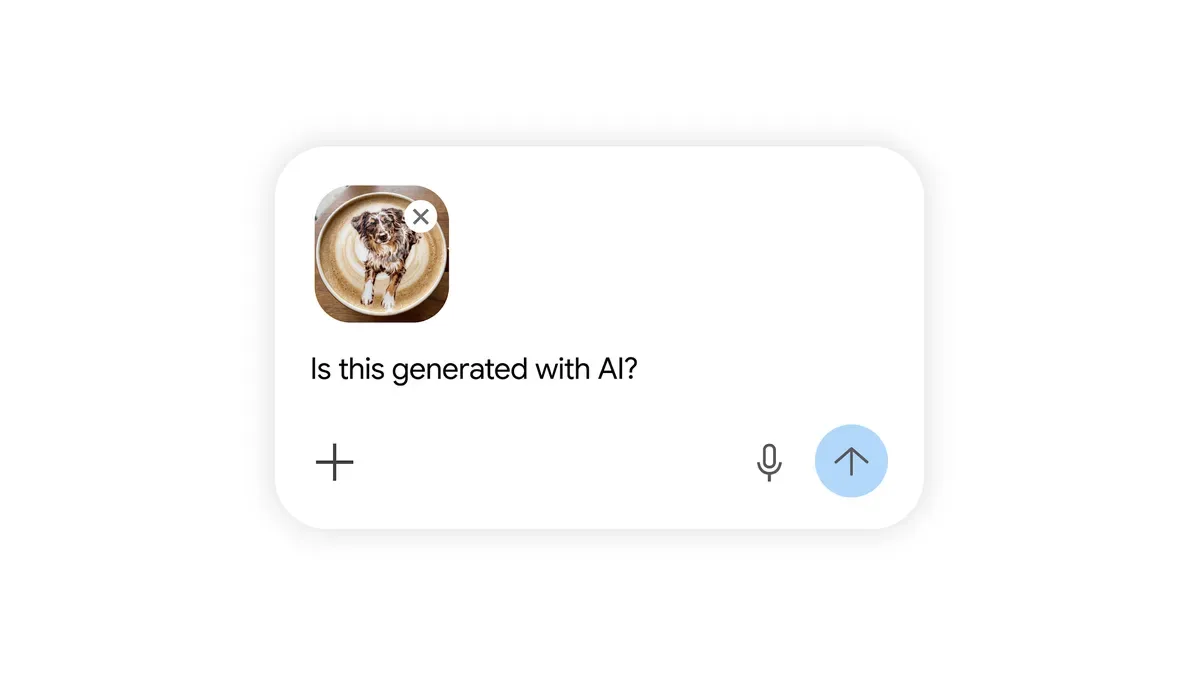
Google is currently extending the same verification into Search through Lens, AI Mode and Circle to Search, with Chrome following. Gemini is also gaining C2PA Content Credentials reading, so it will report how a file was created and edited whether or not AI was involved.
3. A C2PA reader
If the first two come back empty, read the metadata directly. A C2PA viewer such as c2paviewer.com shows the manifest: which tool produced the file, when, and the edit history claimed in it.
Note the boundary between the tools. A C2PA reader checks metadata only; it does not look for SynthID or any other watermark. That is why this is a third check rather than a replacement for the first two.
A good C2PA result is more interesting than a yes or no. In Google’s own demo below, the answer is neither “real” nor “AI”: the file was captured by a Pixel camera and later edited with generative AI in Google Photos, and the manifest says both.
What Each Result Actually Proves
| Result | What you can conclude |
|---|---|
| SynthID watermark found | Generated by a supporting model. Strong evidence. |
| Trusted C2PA manifest naming an AI tool | Generated or edited by that tool. Strong evidence. |
| C2PA manifest from a camera | Captured by that device. Evidence of a real capture, not of honest framing. |
| No signal found | Inconclusive. Not evidence of anything. |
| Detector site says “92% AI” | A guess with an unknown error rate on this image. |
That fourth row is the one that gets misread constantly, so it is worth spelling out why an empty result proves nothing. OpenAI lists the reasons a genuine AI image comes back clean: it was made before provenance signals existed; it came from an unsupported product, model, export path or file type; the metadata was stripped during upload, download, editing, conversion or sharing; or the watermark was degraded by compression, cropping, noise or format conversion.
Every single one of those describes a normal day on a social network. Screenshotting an image, which is what most people do when they forward something, removes the metadata entirely and damages the watermark.
So the logic only runs one way. Signal found means AI. No signal means you have learned nothing.
Which Tool Writes Which Signal
Knowing who signs what tells you which check to run first.
| Source | What it writes |
|---|---|
| ChatGPT, Codex, OpenAI API images | C2PA metadata and SynthID |
| OpenAI generated audio | SynthID (inaudible) |
| Google generative models | SynthID across images, video and audio |
| Pixel camera | C2PA Content Credentials on ordinary photos |
| Cameras and newsrooms adopting C2PA | C2PA manifest certifying a real capture |
| Self-hosted open-weights models | Usually nothing |
OpenAI notes that coverage still varies by product, model, export path, file type and when the content was created, so treat the table as the intent rather than a guarantee for every file.
The last row is the structural hole. Anyone running an image model on their own hardware can strip every signing step out, and no amount of standardisation changes that. Provenance raises the cost of casual deception; it does not stop a determined forger.
One more thing you can do on the generating side: with OpenAI tools you can ask for a visible watermark by putting it in the prompt, for example “include a visible OpenAI watermark in the image”. That is a courtesy label for humans, not a machine-readable signal, and it is separate from C2PA and SynthID.
Video, Audio and Text
Video and audio work the same way as images. SynthID covers both, and the Gemini app’s “is this made with AI” check accepts video and audio files, not just pictures. OpenAI’s generated audio carries an inaudible SynthID watermark, and openai.com/verify accepts audio as well. The same caveats apply, with one extra: a short clip may simply not contain enough signal to read, which OpenAI lists as a reason for an empty result.
Text is the gap. There is no deployed provenance signal for text output today, which is why the essay-detector market exists and why it is so unreliable. Those tools have the same flaw as image classifiers, plus a worse consequence profile, since the accused is usually a student with no way to prove a negative. The neighbouring “humanizer” industry exists purely to defeat them, which tells you how stable the ground is.
OpenAI has said its goal is to extend provenance signals to all modalities including text, under the European Commission’s Code of Practice on transparency of AI-generated content. Until something ships, treat any text-detector percentage as an opinion, not a measurement.
What About Looking at It?
Visual inspection still helps, but less every month, and the old tells are mostly retired. Hands are fixed. Text on signs is fixed, and the newest image models render multi-line typography cleanly, which was the single most reliable giveaway for two years.
What still leaks, in rough order of usefulness:
- Physics of light. Shadows pointing in inconsistent directions, a catchlight in one eye but not the other, a reflection that does not match the scene in front of it.
- Repeating detail. Crowds, foliage, brickwork and fabric patterns where the same cluster of pixels recurs at the same scale.
- Edges under magnification. Hair against a busy background, eyeglass frames crossing the face, jewellery meeting skin.
- Content that is too convenient. A frame that perfectly illustrates a claim, with no other photograph of the same moment from any other angle.
Treat these as reasons to check, not as conclusions. Confident visual calls are where people embarrass themselves, in both directions.
When It Actually Matters
If the answer has consequences, for a story you are publishing, an insurance claim, a school dispute or a court filing, change the question. Stop asking “is this AI” and start asking “where did this file come from”.
- Get the original file, not a forwarded copy. Ask the sender for the version straight out of the device or the app. Nearly all provenance survives that step and nearly none survives a screenshot.
- Run the three checks above on that original.
- Reverse search it to find the earliest public appearance.
- Ask for the context: who took it, when, where, and what else exists from the same moment. A real event almost always has more than one artefact.
- Write down what you could and could not establish. “No provenance signal found” is a legitimate finding, as long as you do not report it as “confirmed real”.
A note for anyone accused on the strength of a detector score: the benchmark evidence above is the counterargument. Classifier detectors have documented high false positive rates on out-of-distribution images, and a screenshot or a compressed export is out-of-distribution.
Where This Is Going
The gap in the system is coverage, not technology. Provenance only helps when the generator writes a signal, and a self-hosted open-weights model has no obligation to write anything at all. That is the hole no detector and no standard closes today.
Two things are moving. Verification is migrating from a separate website into the places people actually look, with Google putting SynthID and C2PA checks into Search, Lens and Chrome. And OpenAI has said its goal is to extend provenance signals to every modality, text included, under the European Commission’s Code of Practice on transparency of AI-generated content.
Until then, the practical rule stays simple. Check for the signature, trust it when you find one, and resist the urge to conclude anything from silence.
If you want the other side of this, how the watermark gets attached in the first place, our Gemini photo prompt guide covers what SynthID does to an image the moment it is generated.