
- Krea 3 is Krea’s image editing model, released October 15, 2026. It also does text-to-image, but its job is changing an existing photo exactly the way you describe.
- Is it free? You can try it on Krea’s free plan: 100 compute units a day, no credit card. Free images come without a commercial license.
- Price: $0.03 per 1K image and $0.06 per 2K image on the API. Paid app plans start at $21/month billed yearly.
- Speed: under 8 seconds per edit by Krea’s numbers, against 33 seconds for Nano Banana Pro and 90 for GPT Image 2.
- Open weights? No. The Krea model you can download is the previous generation, Krea 2, on Hugging Face.
Editing models crossed the quality bar for production work over the past year. What did not improve was the wait and the bill: half a minute and 15 to 20 cents per edit is fine for one hero shot and painful across a catalog. Krea 3 is built for that gap. Every figure below comes from Krea’s launch post, pricing page and API docs.
What Is Krea 3?
Krea is an AI image and video platform that hosts other companies’ models (Nano Banana, Seedance, Kling, Veo) next to its own. Krea 3 is its newest in-house model, described as an editing model built for production: you give it a photo, say what should change, and it changes that and nothing else. Labels, logos and faces stay put.
| Release date | October 15, 2026 |
| Type | Image editing, plus text-to-image |
| Resolution | 1K or native 2K |
| Reference images | Up to 8 per request (API) |
| Time per edit | Under 8 seconds (Krea’s measurement) |
| Where | krea.ai, Krea API, fal, Replicate, OpenRouter, Together AI |
Since October 16 it is the default image model in the Krea app. A stronger Krea 3 Ultra exists too, but only on the Max plan and above.
Is Krea 3 Free?
Yes for trying it, no for anything you plan to sell.
Krea’s free plan lists 100 units per day, and Krea 3 is the first feature on it. No card is needed and the units refill daily. Two catches:
- No commercial license. The free plan excludes commercial use. Product photos for a shop, ads or client work need a paid plan.
- Small daily budget. Krea has not published how many units one Krea 3 edit costs; the app shows it in the model picker for your settings. For scale, the Pro plan’s 20,000 units are listed as “450 Nano Banana 2 generations”, roughly 44 units per image. If Krea 3 lands near that, 100 free units cover a handful of edits a day.
| Plan | Units | Price (billed yearly) |
|---|---|---|
| Free | 100 per day | $0 |
| Pro | 20,000 per month | $21/month ($35 monthly) |
| Max | 60,000 per month | $63/month ($105 monthly), includes Krea 3 Ultra |
| Business | from 80,000 per month | from $160/month |
Right now Krea runs an offer of 14 days of unlimited Krea 3 with a yearly Pro or Max plan. On paid plans you can keep generating in a slower “relaxed” queue with Krea’s own models after your units run out.
Is Krea AI free for commercial use?
Not on the free plan. The commercial license comes with the paid tiers, so the cheapest legal route to using Krea 3 output in a product listing is Pro, or paying per image on the API through a provider that grants commercial rights.
Krea 3 API Price
The API price is simpler. From Krea’s API overview:
| Component | 1K output | 2K output |
|---|---|---|
| Base price | $0.03 | $0.06 |
| Each 1K reference image | +$0.02 | +$0.02 |
| Each 2K reference image | +$0.07 | +$0.07 |
high thinking mode | +$0.02 | +$0.02 |
Putting one 1K product photo into a new 2K scene costs $0.08. Krea’s own volume example: 100,000 edits a month run $6,000 on Krea 3, $13,500 on Nano Banana Pro and $22,000 on GPT Image 2, at list price without references. Krea says the launch price is the list price and is not subsidized.
The Krea API itself is in early access for Krea 3, open only to workspaces in the beta. If you do not want to wait, the same model is live on fal, Replicate and OpenRouter, where pricing may differ.
A minimal request to Krea’s endpoint looks like this:
curl https://api.krea.ai/generate/image/krea/krea-3 \
  -H "Authorization: Bearer $KREA_API_KEY" \
  -H "Content-Type: application/json" \
  -d '{
    "prompt": "Change the mug to red, keeping everything else the same",
    "image_urls": ["https://example.com/mug.png"],
    "resolution": "2K",
    "regional_edit": true
  }'
It returns a job_id; poll GET /jobs/{job_id} until the status is completed and the image is in result.urls[0]. regional_edit: true regenerates only the area that has to change and leaves the rest pixel-exact, which is what you want when you chain edits on the same image.
What Krea 3 Can Do
Almost every launch example shows the same trick: change one thing, leave the rest alone.
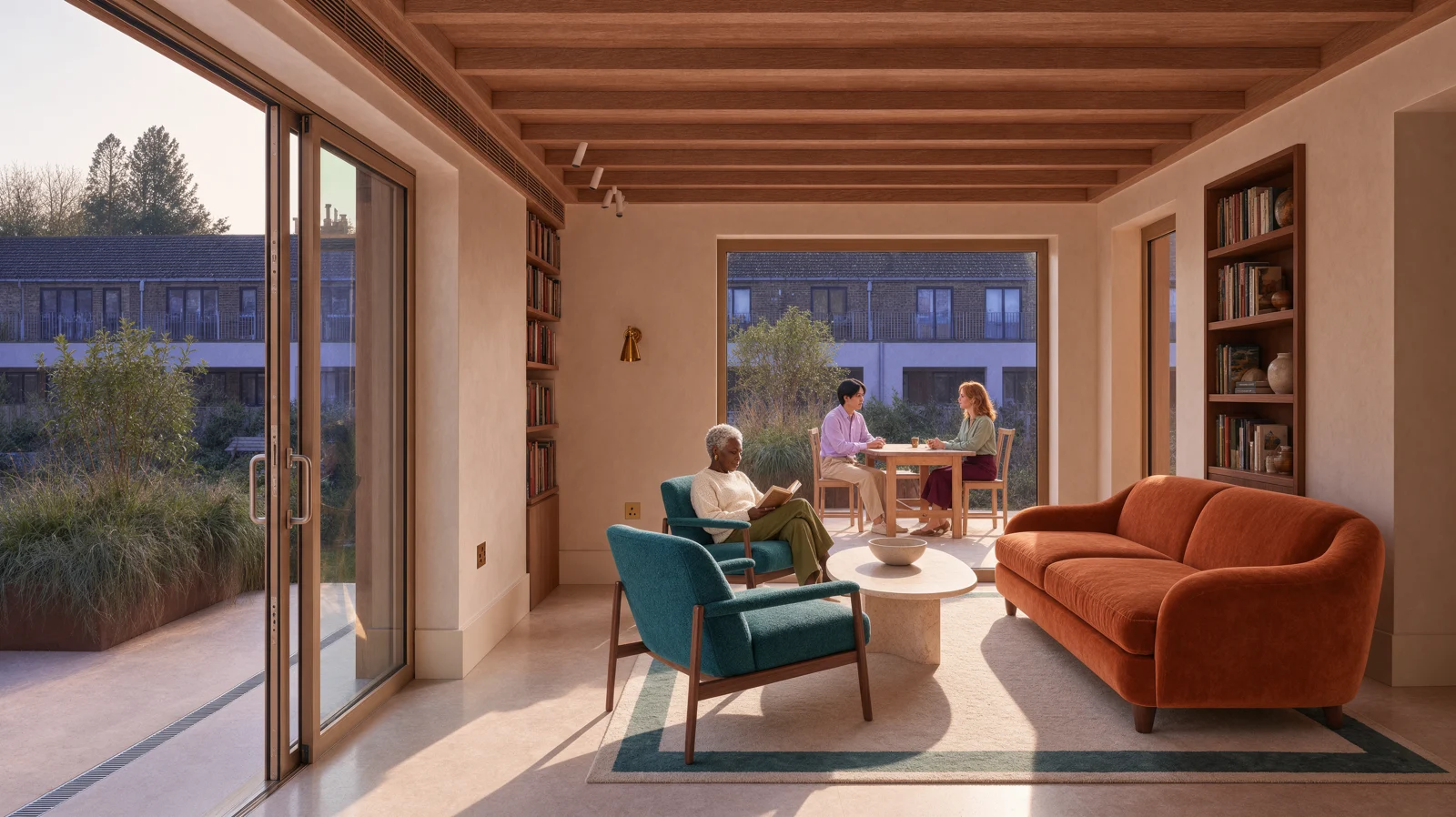
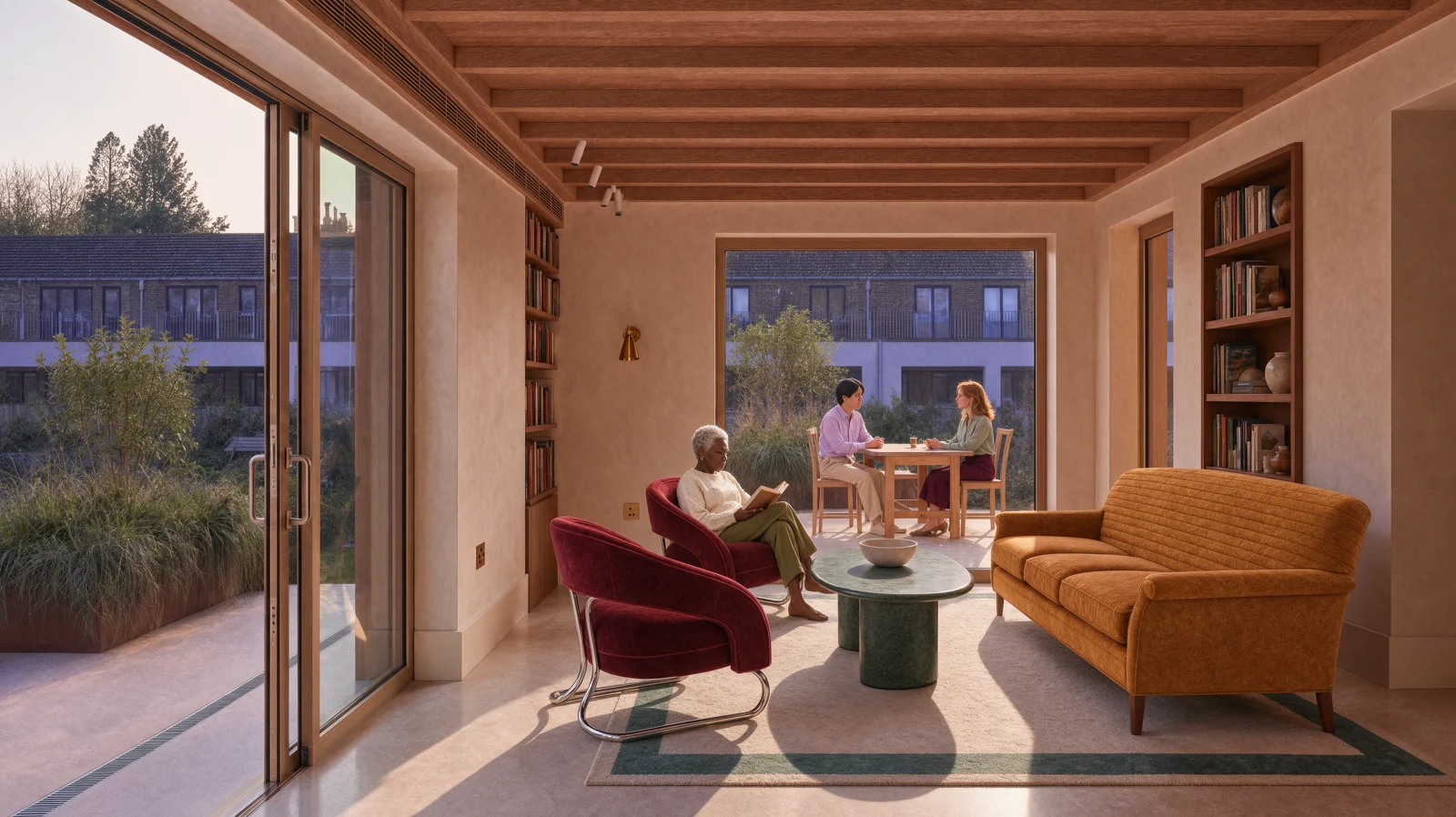
Swap products into a scene. Here the sofa, chairs and table were taken from three separate product shots. The rug, the view and the woman reading in the corner did not move.
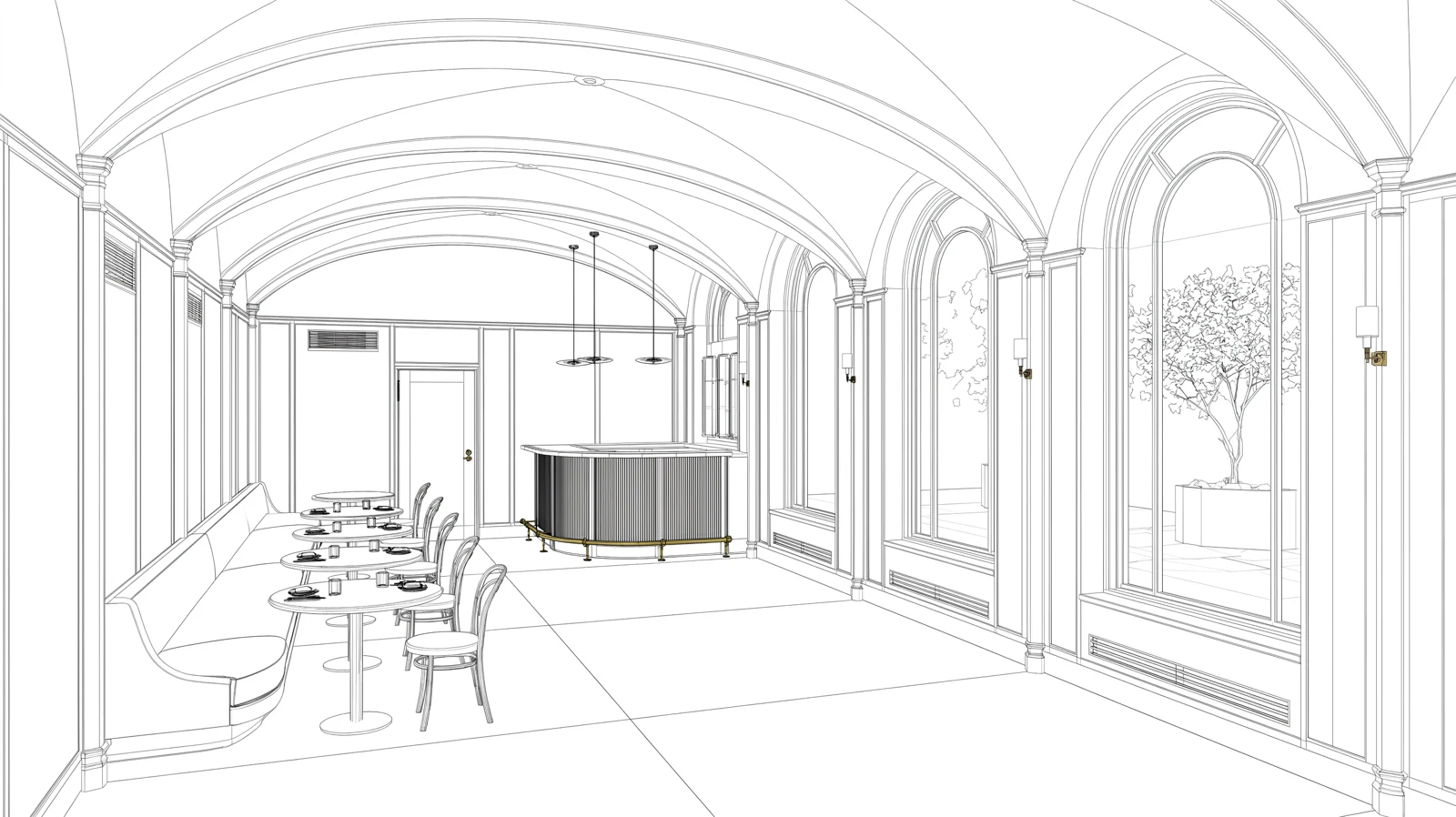
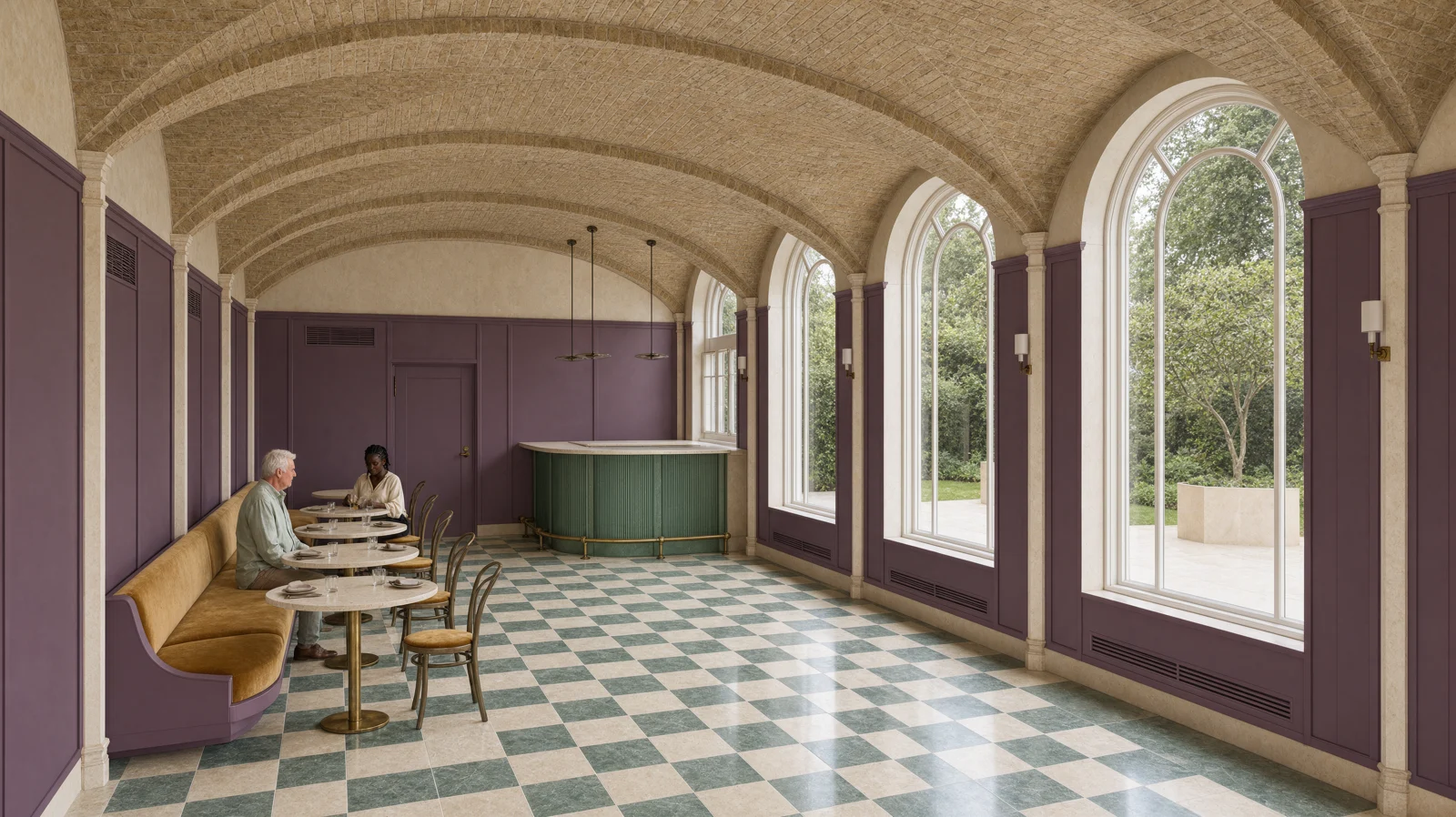
Drawing to photo. Give it a line drawing and a flat palette and it renders a photograph with each color where the brief put it, camera and architecture unchanged.
Consistent characters. A few references keep the same person or character across new streets, poses and light.
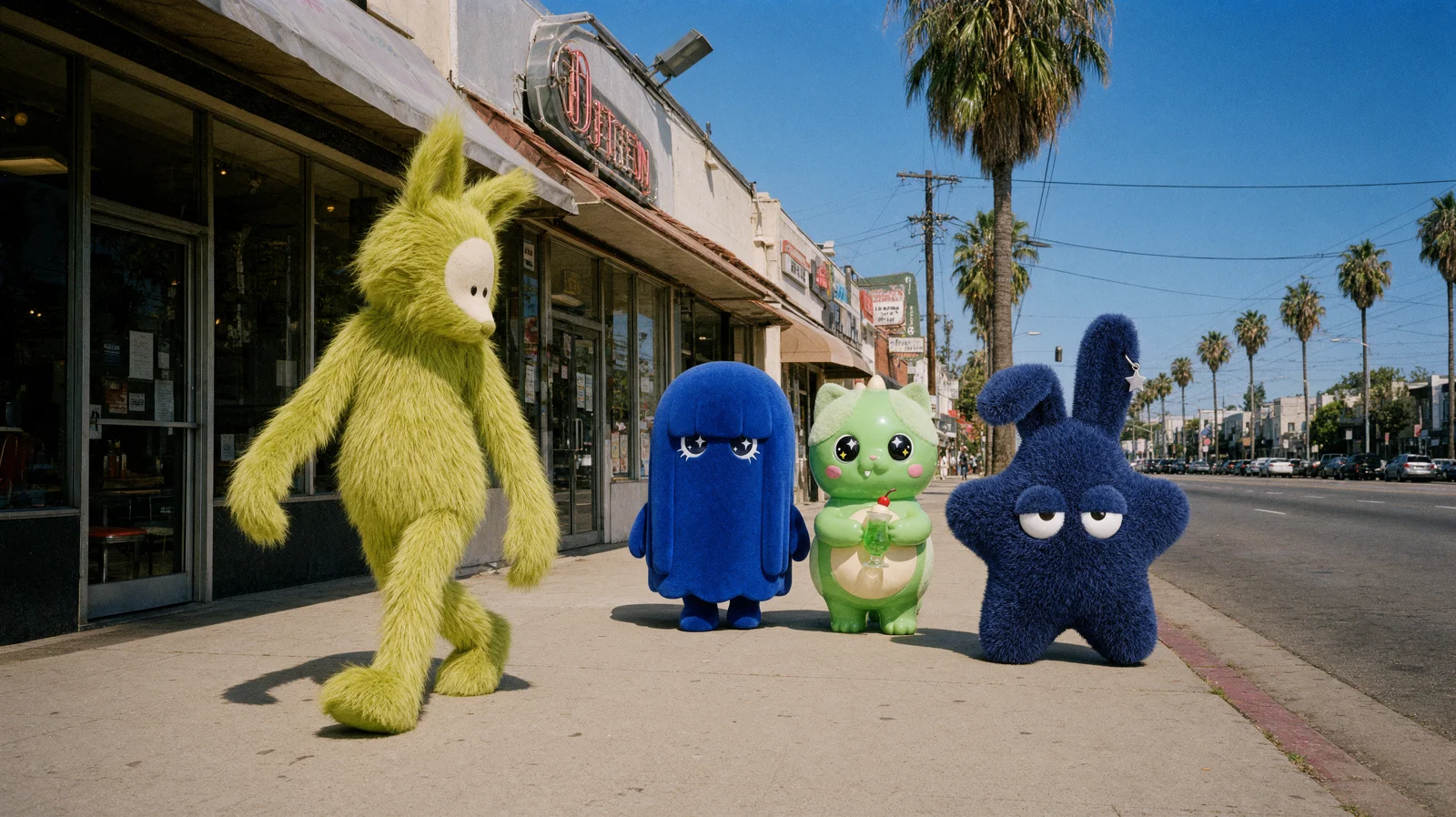
The launch page also shows exact hex-color matching on a product, box-and-describe regional edits in the app, and voice-note edits.
Krea 3 vs Nano Banana Pro and GPT Image 2
| Model | Time per edit | Price per image |
|---|---|---|
| Krea 3 (2K) | under 8 s | $0.06 |
| Nano Banana 2 | 27 s | - |
| Nano Banana Pro | 33 s | $0.135 |
| GPT Image 2 | 90 s | $0.22 |
The times are medians for edit jobs on Krea’s own platform between September 24 and October 1, queue included. That makes them vendor numbers, not an independent benchmark, and Krea published no broad quality comparison beyond a “pixels left unchanged” demo. If you want a generous free daily allowance and do not need commercial rights, Nano Banana 2.1 is still the easier free option. For box-level control on a paid model, see FLUX 3 .
Are Krea 3 Weights on Hugging Face?
No. Krea 3 has no open weights. Krea’s FAQ says self-hosting is available only on enterprise plans, on your own GPUs, under a negotiated license.
What you can download is Krea 2, released on Hugging Face in June 2026 as Krea 2 Raw and the distilled Krea 2 Turbo: a 12-billion-parameter text-to-image model that runs in 8 steps with diffusers (Krea2Pipeline). Access is gated behind the Krea 2 Community License. It generates images from text; it is not the editing model.
How to Use Krea 3
- Sign up at krea.ai. No card required.
- Open Image and check that Krea 3 is selected in the model picker (it is the default now).
- Add the photo you want to edit, plus any reference images.
- Write the instruction, pick an aspect ratio and 1K or 2K. Choose 2K when small text or product detail matters.
- Review, then ask for one more focused change.
Prompting tips from Krea
- Lead with the change, then close with one preservation sentence: “Change the mug to red, keeping everything else the same.”
- Refer to images by content: “Put the sneaker from the second image on the person in the first image.”
- Use “only” when the edit should touch one thing: “Remove only the woman in the red coat.”
- Name what must stay intact: the label, the logo, the face.
Need a starting prompt for a photo look? Our AI photo prompt generator builds one for you.
Limitations
- No commercial use on the free plan.
- Krea’s own API is early access, so most developers go through fal, Replicate or OpenRouter for now.
- No style references or LoRAs yet. The API answers “coming soon” for both; Krea 2 remains the model for custom styles.
- Vendor benchmarks only. Speed and price comparisons come from Krea’s platform; independent tests are not out yet.
FAQ
Is Krea 3 free? You can try it on Krea’s free plan with 100 compute units per day and no credit card. The free plan has no commercial license; paid plans start at $21/month billed yearly.
Is Krea AI free for commercial use? No. Commercial use requires a paid plan such as Pro or Max, or API usage through a provider whose terms grant commercial rights.
How much does Krea 3 cost? On the API, $0.03 per 1K image and $0.06 per 2K image. Each reference image adds $0.02 to $0.07, and the high thinking mode adds $0.02.
Does Krea 3 have open weights on Hugging Face? No. Krea 3 is closed and self-hosting is enterprise only. Krea 2 Raw and Krea 2 Turbo are the downloadable Krea models.
When was Krea 3 released? October 15, 2026, in the Krea app and through partners. It became the default image model in the app on October 16.
Cheers… 🙂